 Sid
We did a great job presenting our project and also communicating the concept to the guests at the showcase.
🔥 2
An app that helps college teams build chemistry on purpose, instead of leaving it to chance.
SidWe did a great job presenting our project and also communicating the concept to the guests at the showcase.
The capstone showcase is great
 Mike alt
Team communicated well on the court
 Signe
We did it! I’m so proud of our team. We built a real app and rooted it in users throughout the journey. Our skills really complemented each other’s and we collaborated really well - and had fun! It’s been a fantastic capstone journey.
 Ralph
I love how everyone is just so deeply involved with the project that we don’t even have need script during the showcase.
Skskss
 sahini
cap
Product direction
Coaches train skills every day, but team chemistry is treated as something that just happens. Our sponsor, Team Chemistry Design, believes it can be practiced like anything else, and asked us to apply human-centered design to it. We started with college teams.
In the first quarter I was a researcher. We ran 15 interviews with coaches, players and staff, watched UW softball, soccer and football practices, and read 17+ papers. My biggest contribution was turning all of it into one set of findings the team could design from.
Trust comes first.
Every coach named it as the base the rest depends on. (All 4 coaches, 2 field studies.)
Chemistry isn’t camaraderie.
A team can be close friends and still not play for each other. (3 coaches.)
Players are tired of tools.
One team already filled out wellness surveys twice a quarter. Anything new had to be quick. (UW Softball.)
Those findings became six design principles that every feature had to answer to:
Going into the second quarter, the team had a long list of ideas. Then one teammate used AI to build all of them into one clickable prototype.

It looked finished, and that was the problem. Something that concrete stops reading as a question and starts reading as the product, and our conversations went from “why” to “yeah, I like that.” So I asked the team to slow down and take it into co-design as ideas to test, not a product to defend. Players kept some of it and pushed back on a lot. Letting go was hard, but we went back to sketching, and what we shipped looks very different.
What I'd do differently: agree as a team, up front, what AI prototyping is for. It's good at testing a decision we've made. It shouldn't be making them for us.
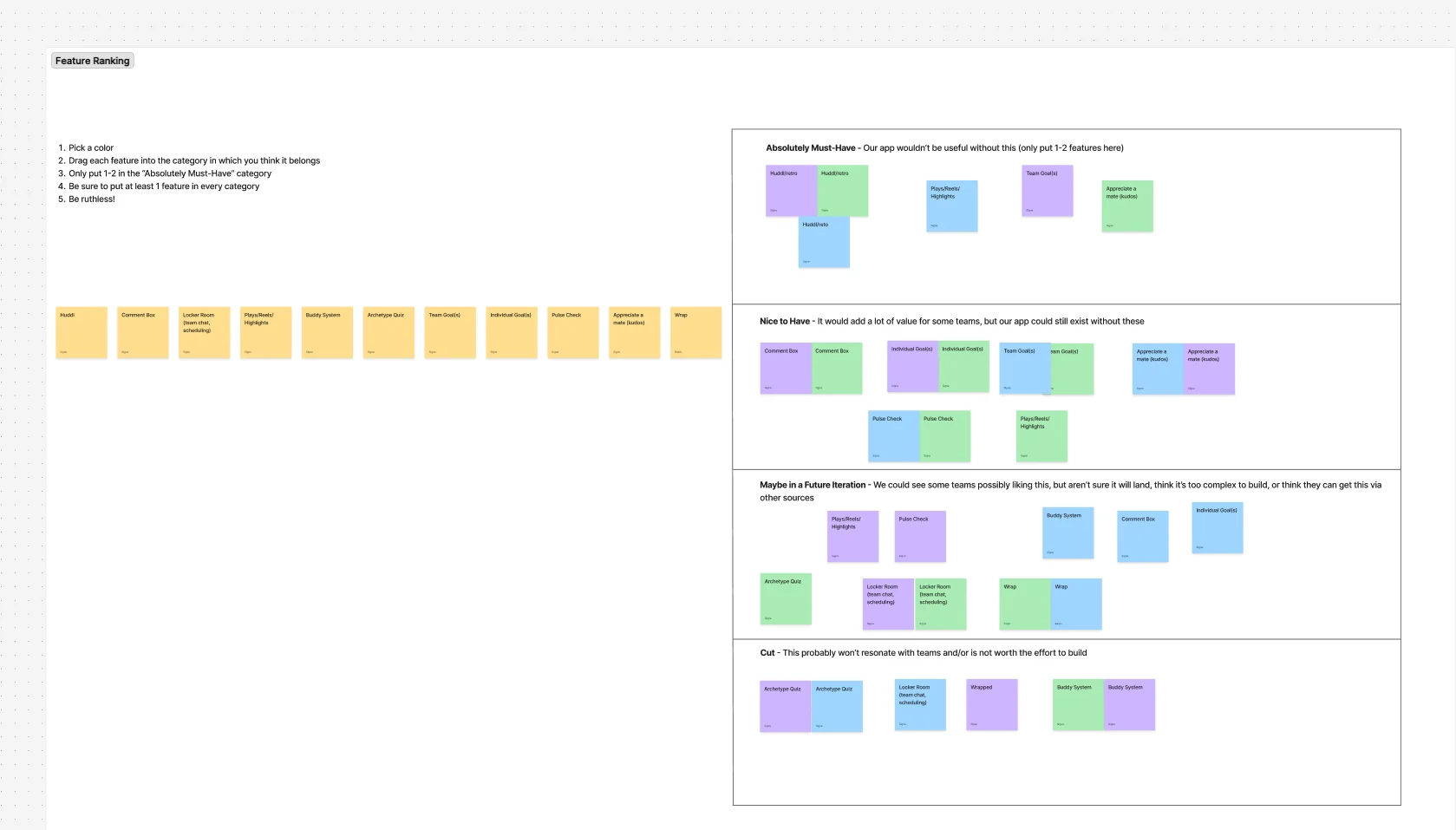
I designed the co-design sessions and led some of them: six 30-minute sessions with college players from basketball, rowing, soccer and softball. Each one walked through a proposed onboarding and proposed features, with stickers to vote and room to invent new ones.
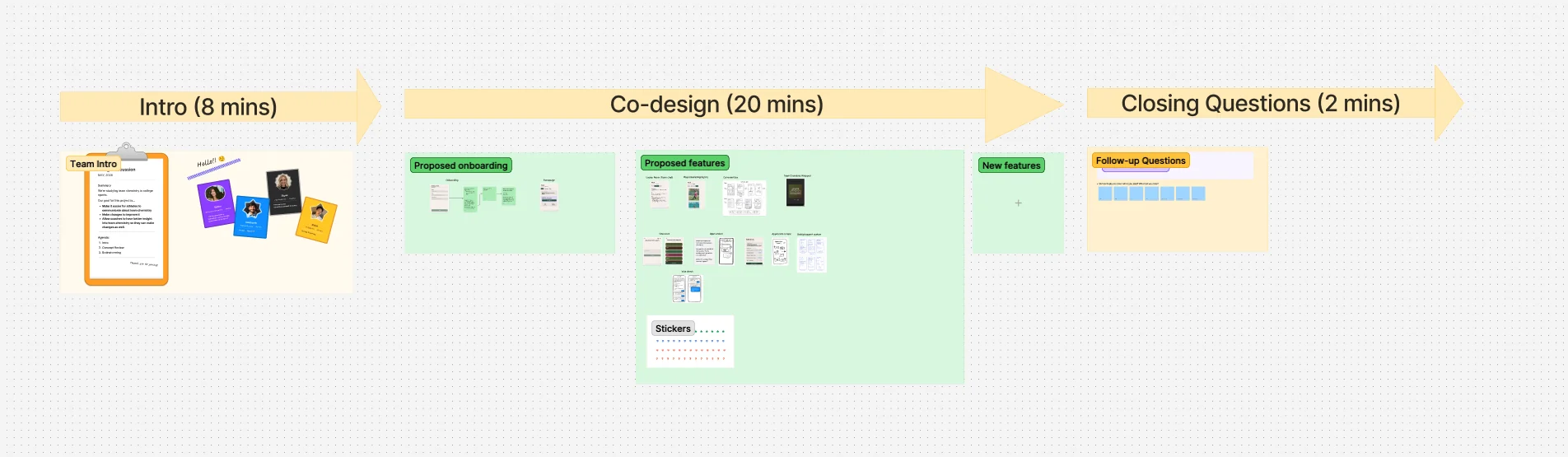
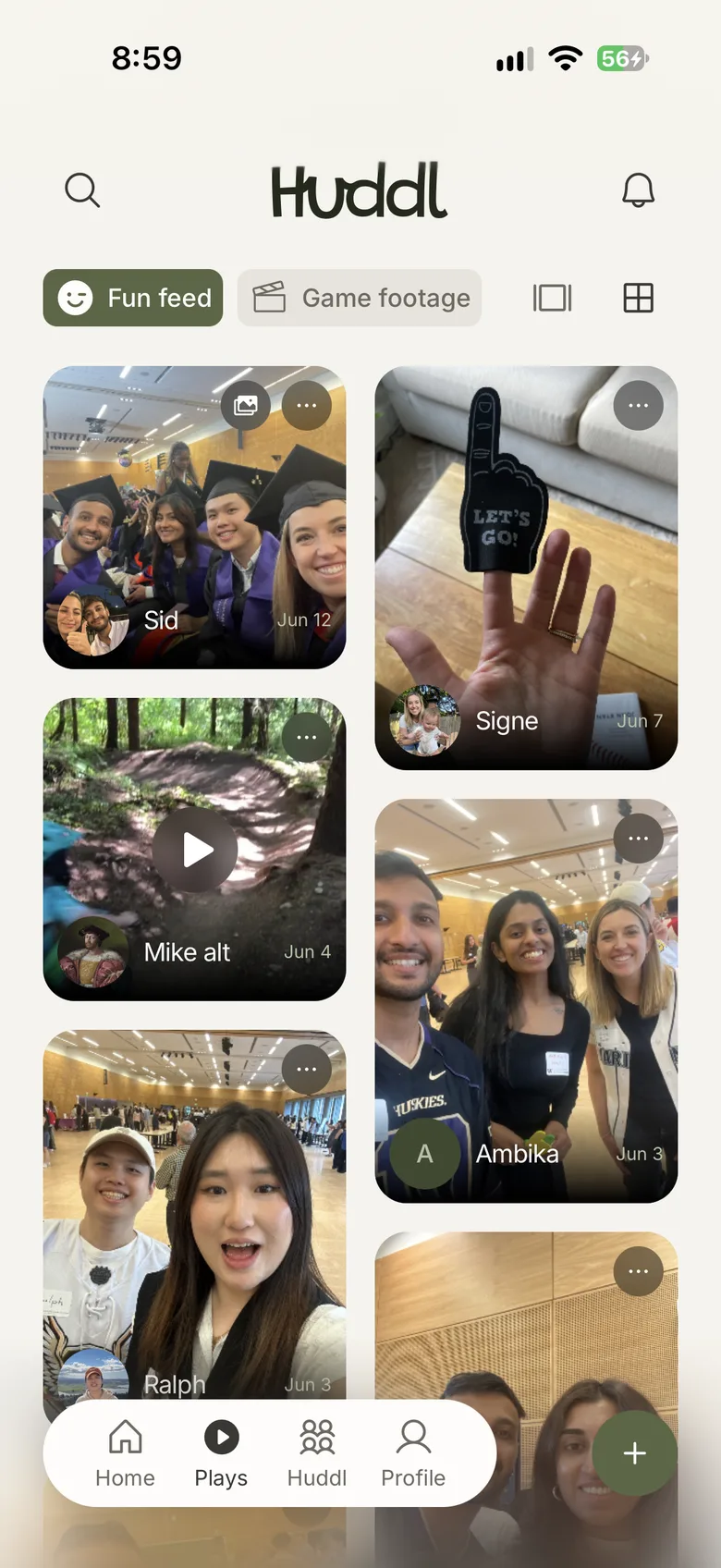
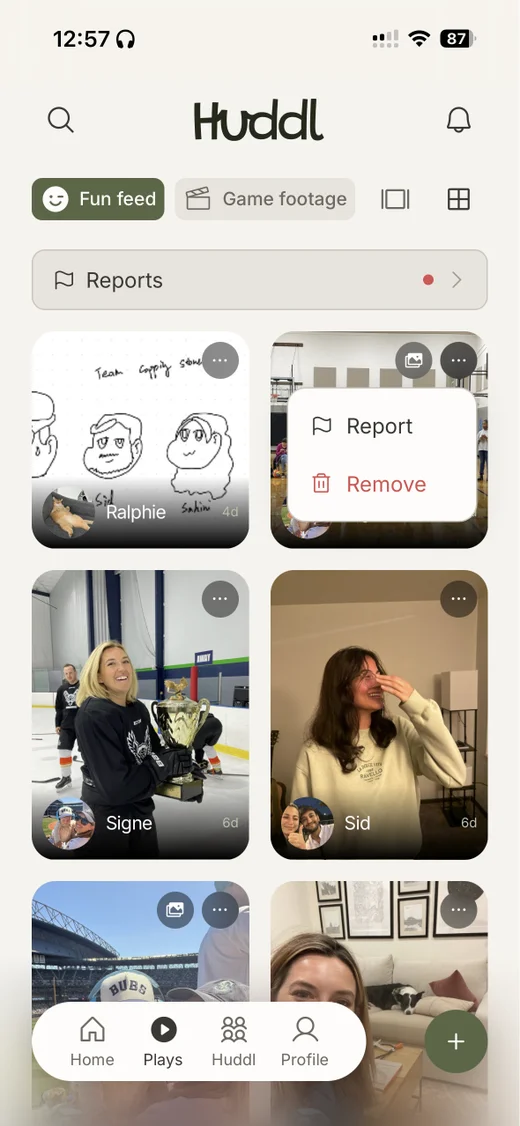
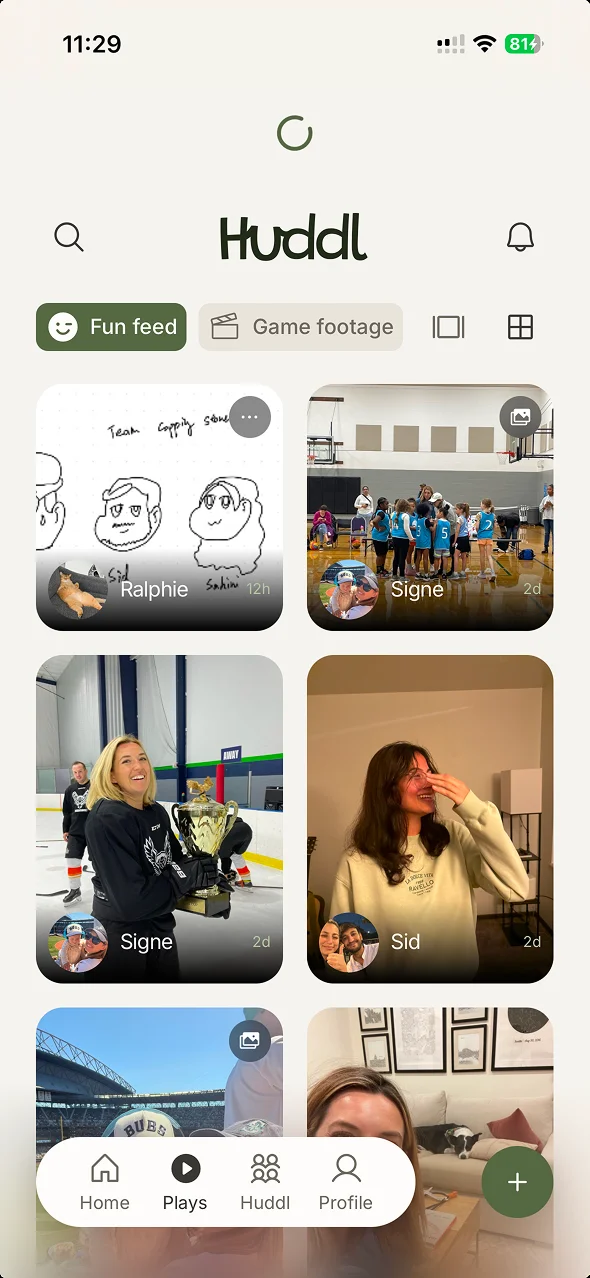
Two things came out of them. The first was a feature we hadn't planned: Plays, a team gallery with a “Fun” feed and a “Game footage” feed. The second was what to cut.
Plays
Players already share photos and clips in group chats, where people get left out and the good stuff gets buried.
Archetype quiz
It told players something, but gave them nothing to do.
Buddy system
Mixed feedback: players didn’t find it helpful in practice. Individual goals went with it; team goals stayed.
Trust and safety
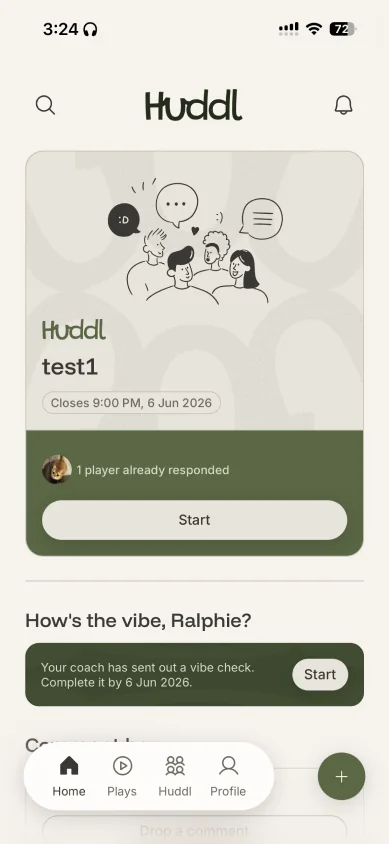
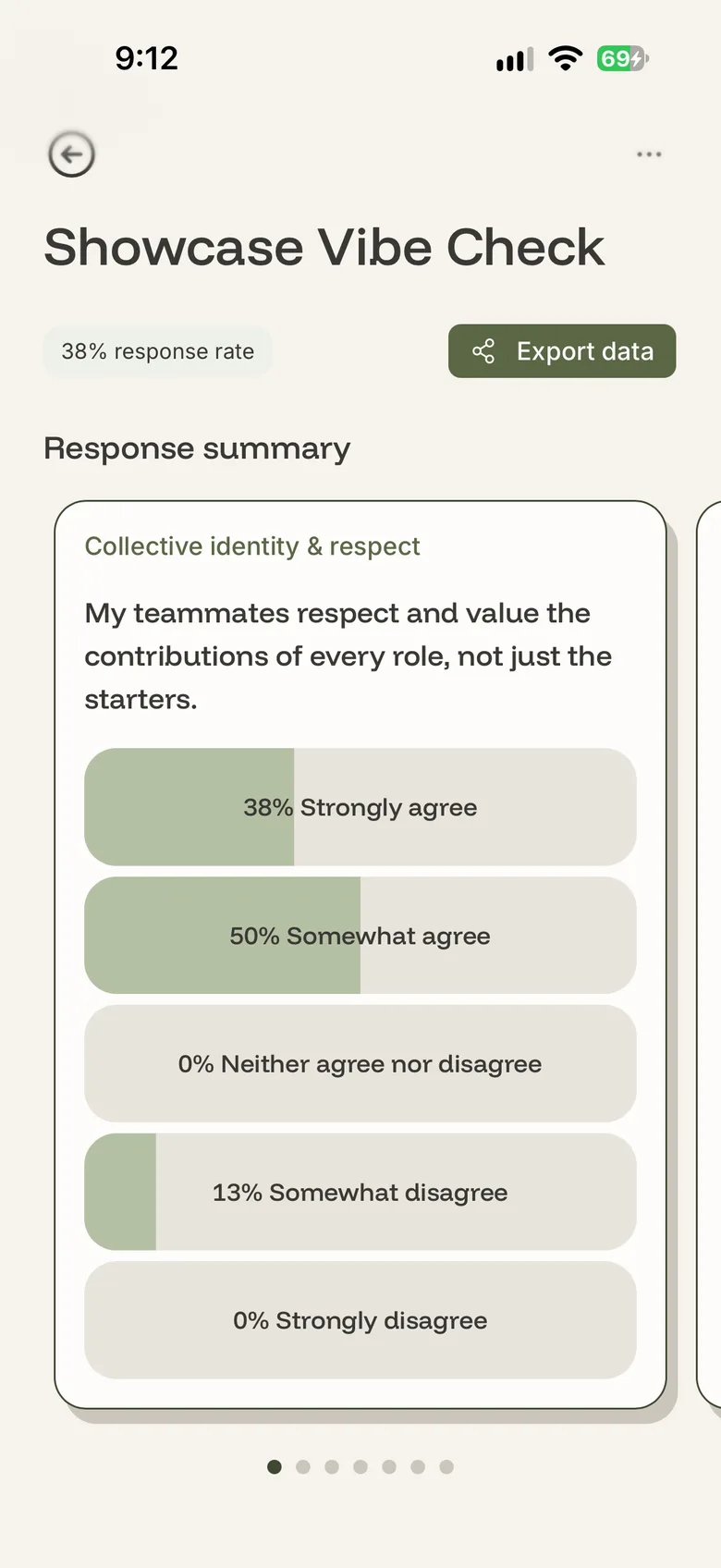
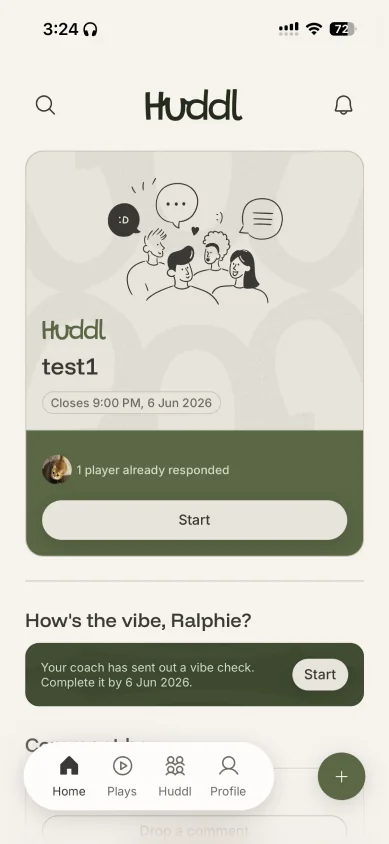
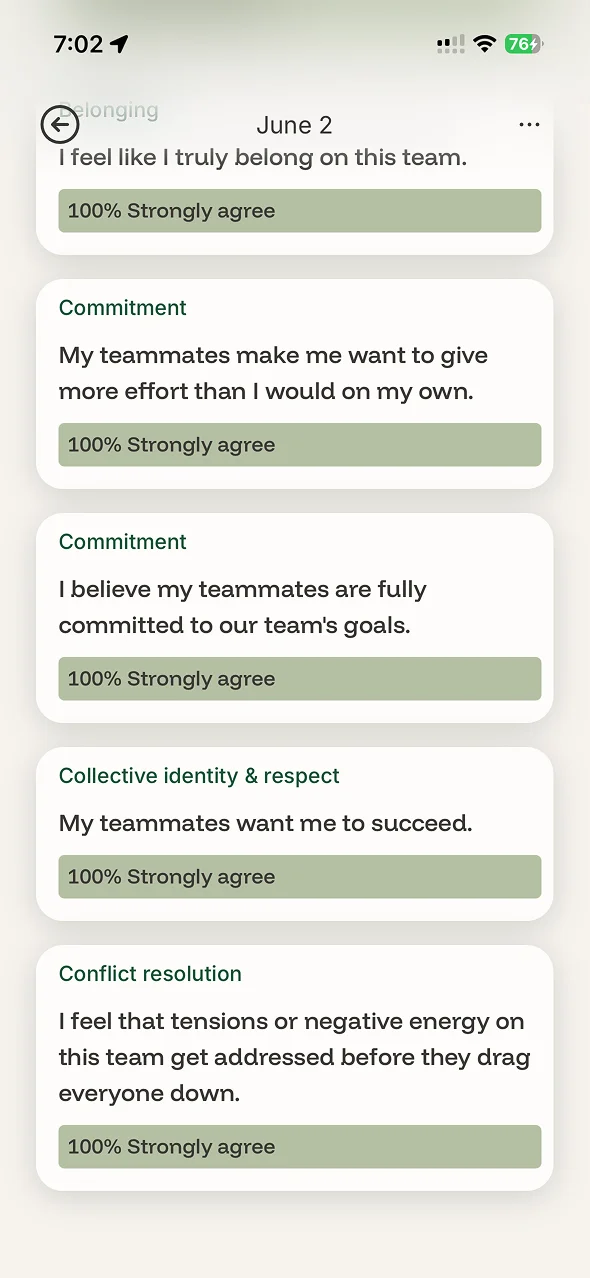
In interviews, players said they needed a way to raise concerns without their name on it. Vibe Check is the first: a short survey a coach sends on a schedule, with statements about trust, belonging and accountability to agree or disagree with. Players answer anonymously; coaches see only percentages and trends. At first coaches could see each player's answers; we reversed that.
It's built to be finished, not thorough: one tap per answer, seven questions, and anything left halfway is saved. If it takes longer than the walk back to the locker room, players won't do it.
The Comment Box is the second: a one-way message to the coaches, anonymous by default. There's no reply in the app; the point is to start a conversation in person.
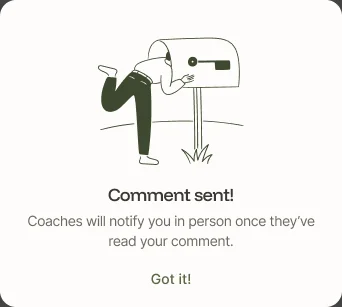
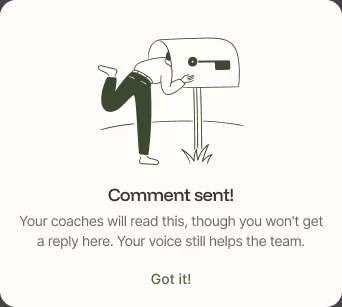
Both are anonymous in the database itself, not just on screen.
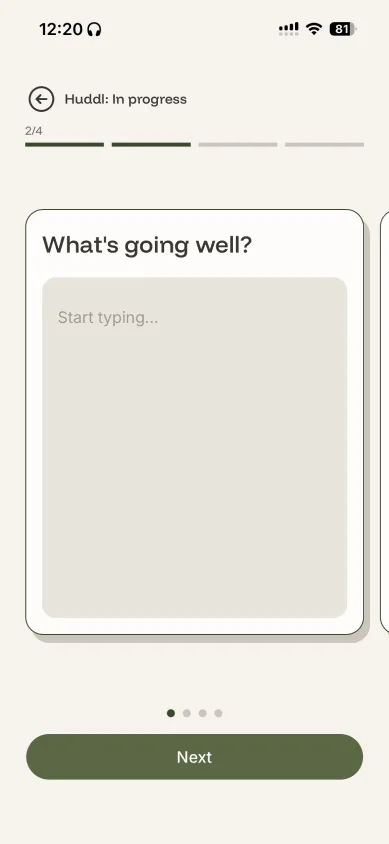
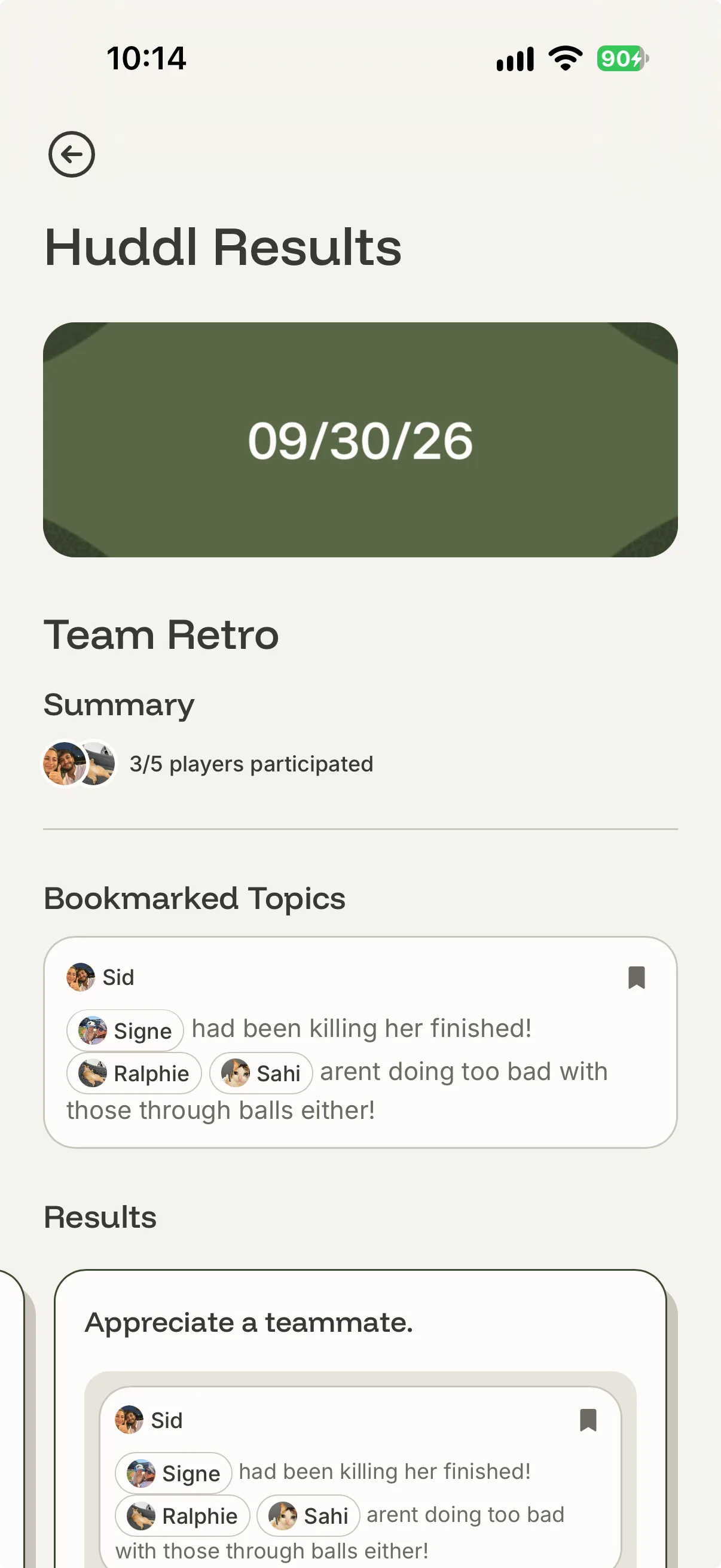
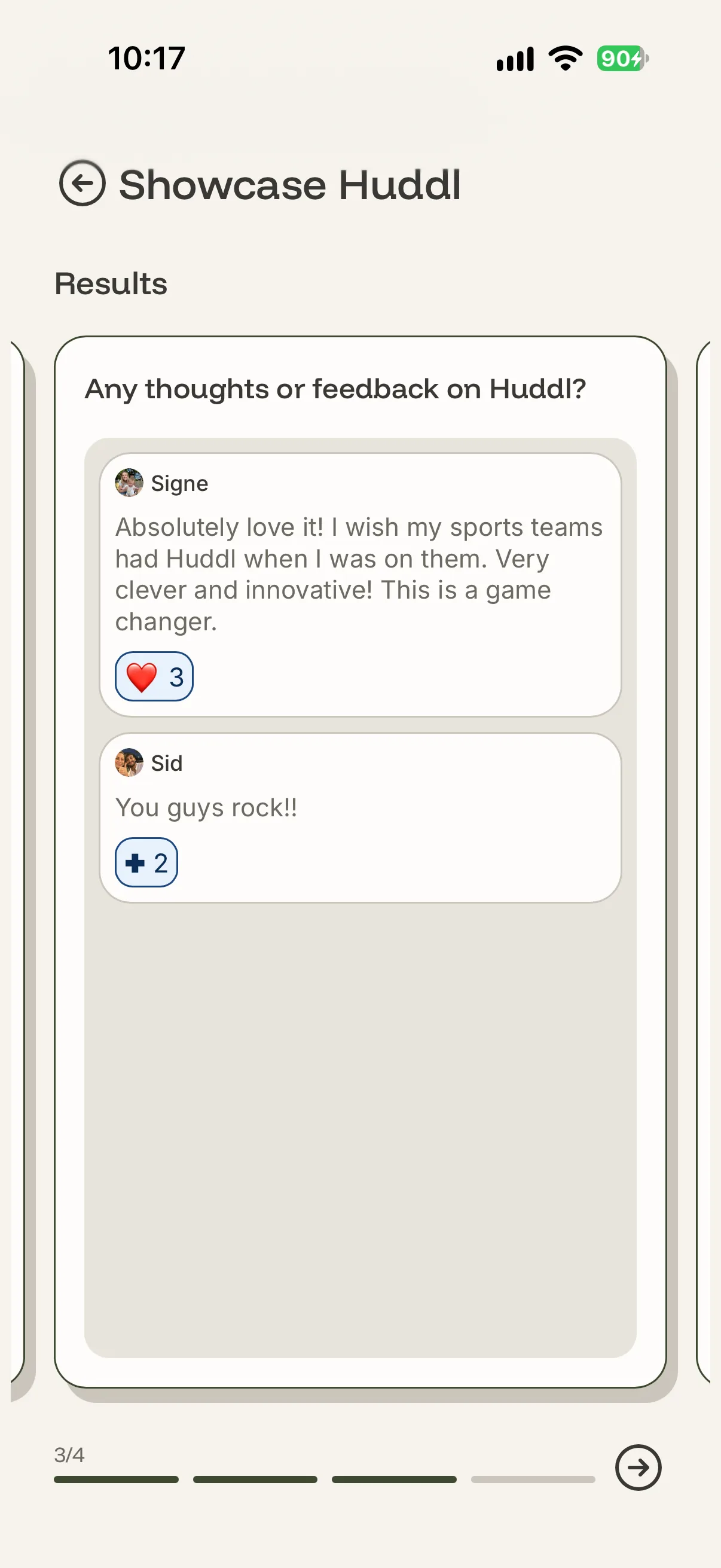
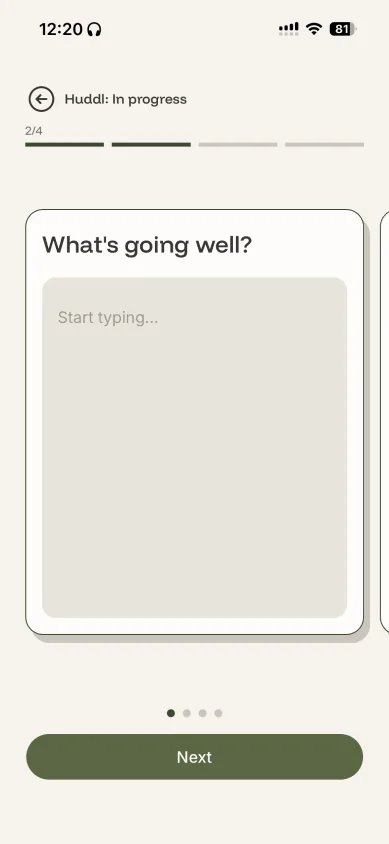
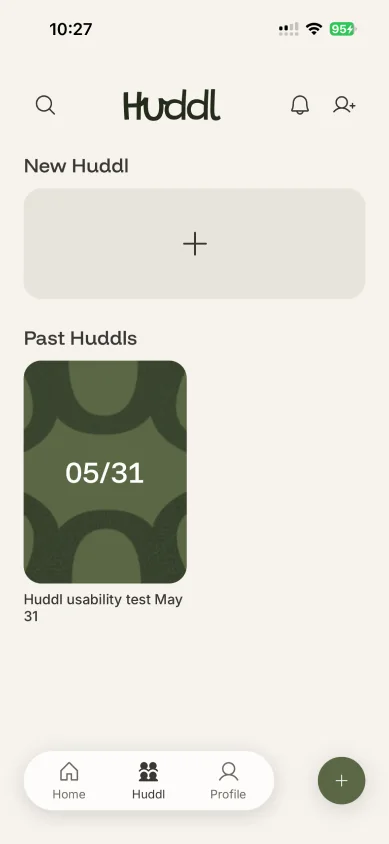
A Huddl is a team retro: a few open questions, a few short thoughts from each player. When it closes, the whole team can read every answer. The board at the top of this page is a real one, from our own team.
We landed on emoji reactions, no replies. A reaction lets a player say “me too” without turning the app into a group chat, and the counts show a coach which answers the whole team agrees with. The conversation itself happens in person.
Plays came out of co-design: players already share photos and clips in group chats. It's a players-only gallery, so players can post without wondering what their coach will think. The database enforces that, not just the menu.
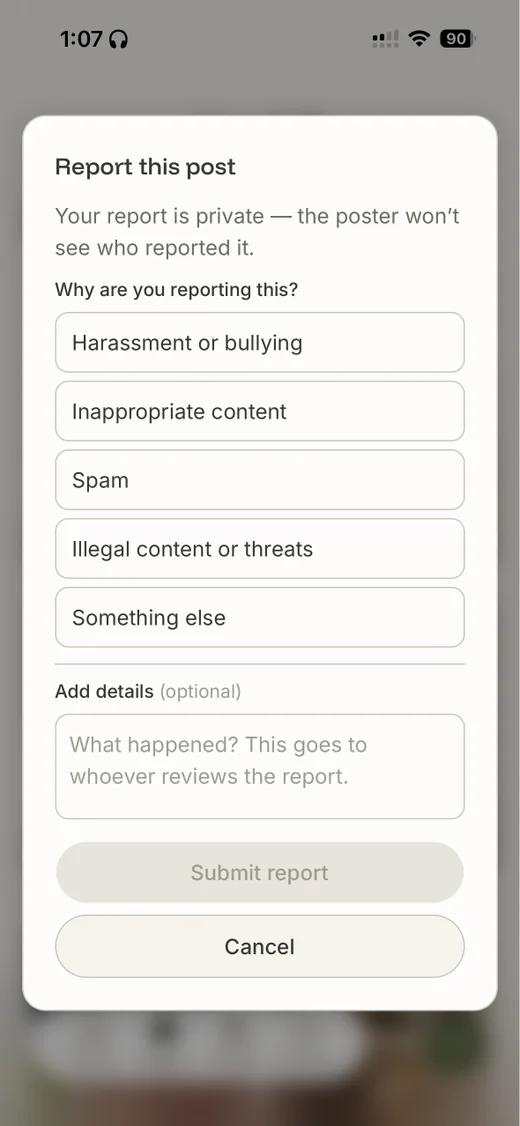
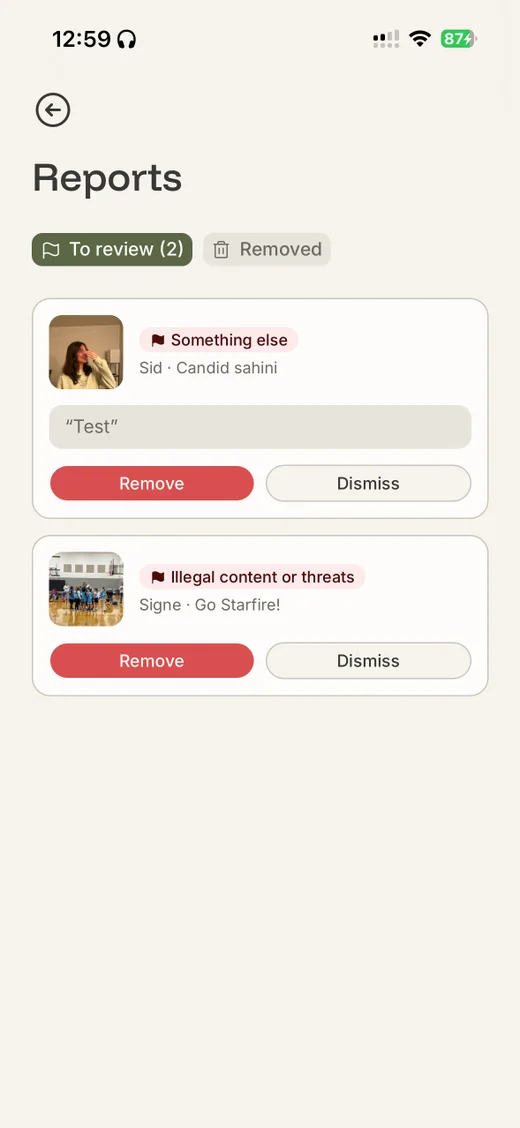
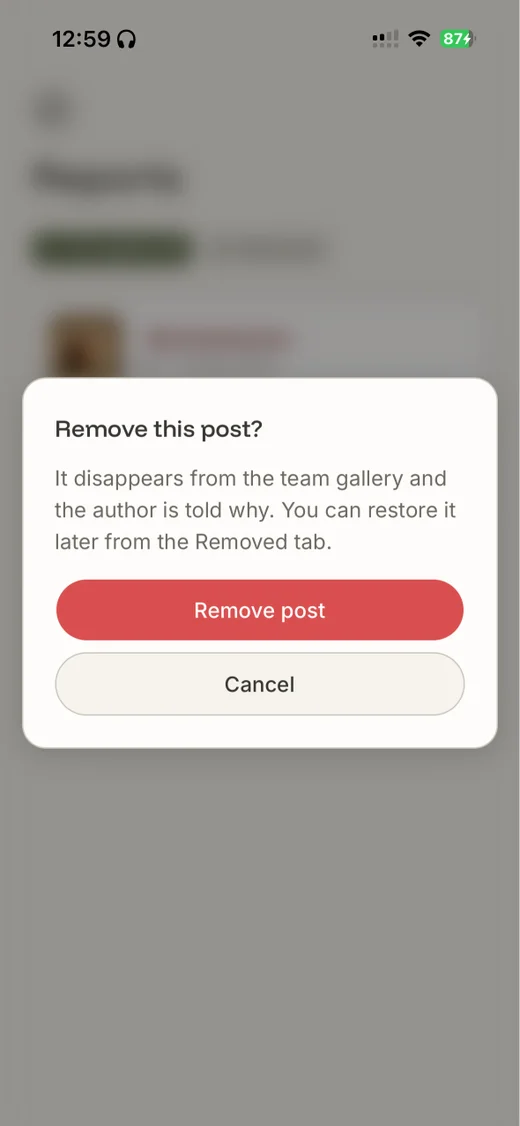
That ruled out the usual safety net: a coach can't moderate what a coach can't see. So moderation stays inside the team: any player can report a post, a teammate the coach trusts reviews it, and every decision can be undone.
Design and engineering
In the second quarter I led the product and was its only engineer. We built Huddl as a web app installed from the browser, so the sponsor could reach real teams without waiting on app store review.
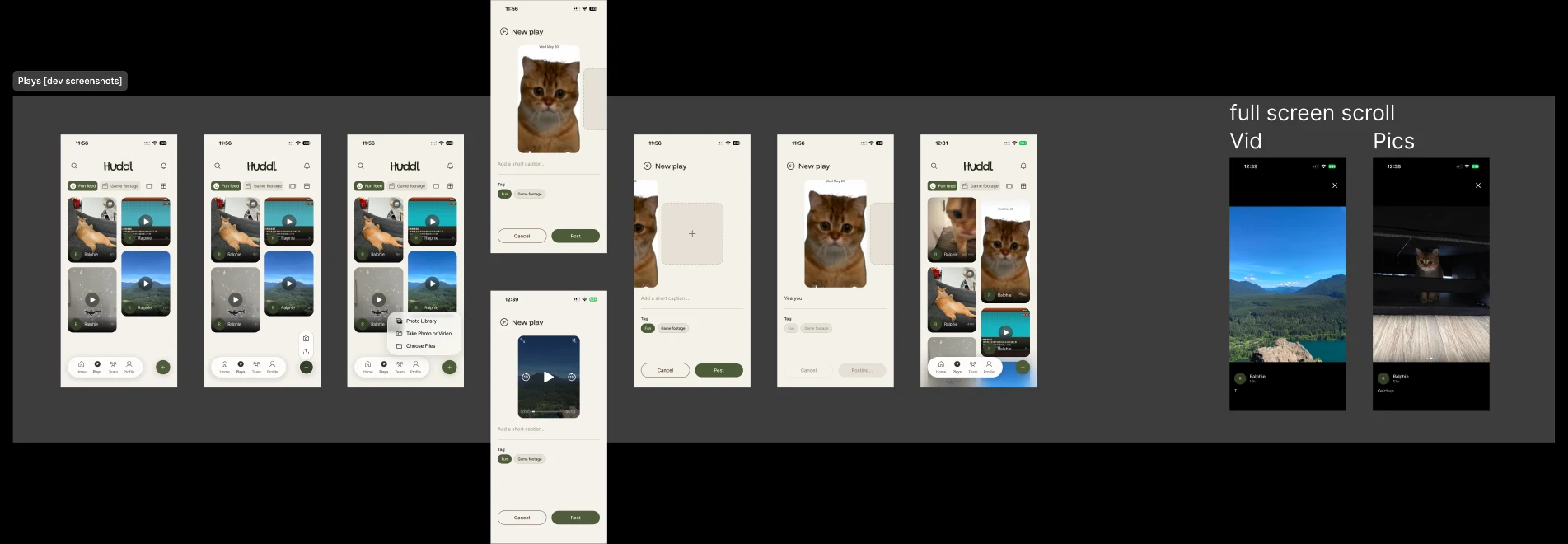
The designers gave me a starting point. For Plays, the design covered posting one photo. While building, I designed the rest: several photos at once, video, and watching full screen. Small calls I made on the spot; big ones went back to the team.
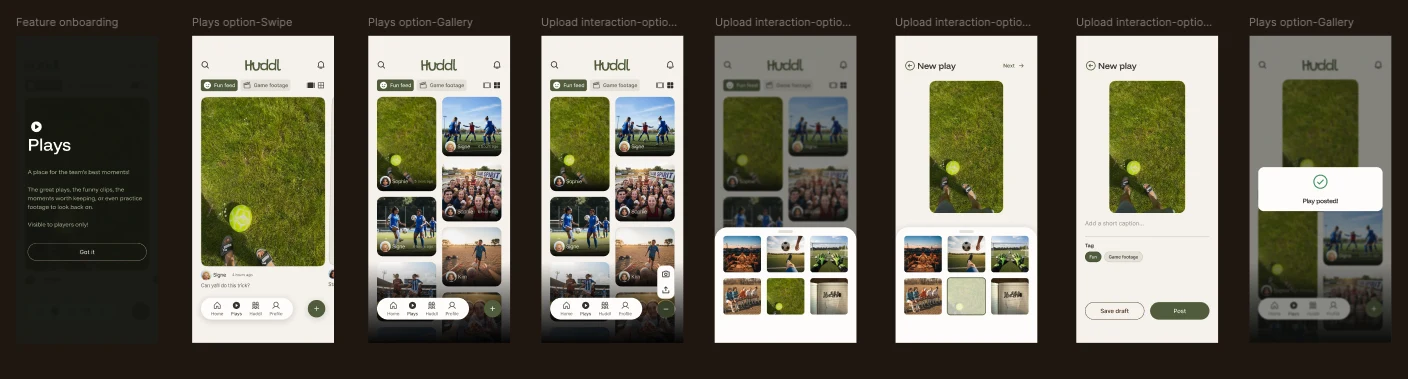
What I built: several photos, video, and full-screen viewing
Where Back goes was another of those calls. Say a player opens a Huddl from Home, then taps Back:
The design system. I asked the designers not to build one up front; in the code, I decided screen by screen what became a shared component.
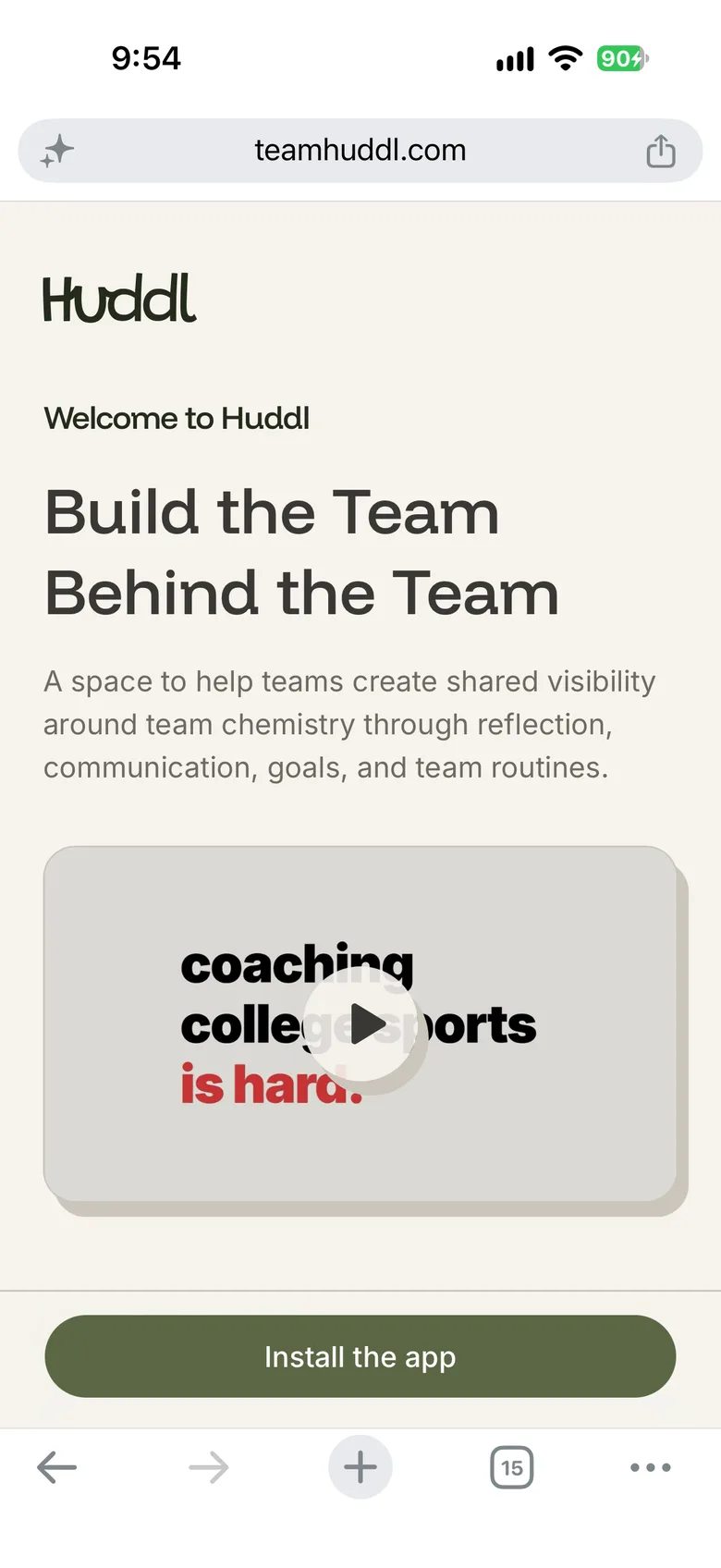
An installed web app has to do by hand what a native app gets for free, so I tested on a real iPhone after every build. It starts at install: the website's only job is to get Huddl onto the home screen.
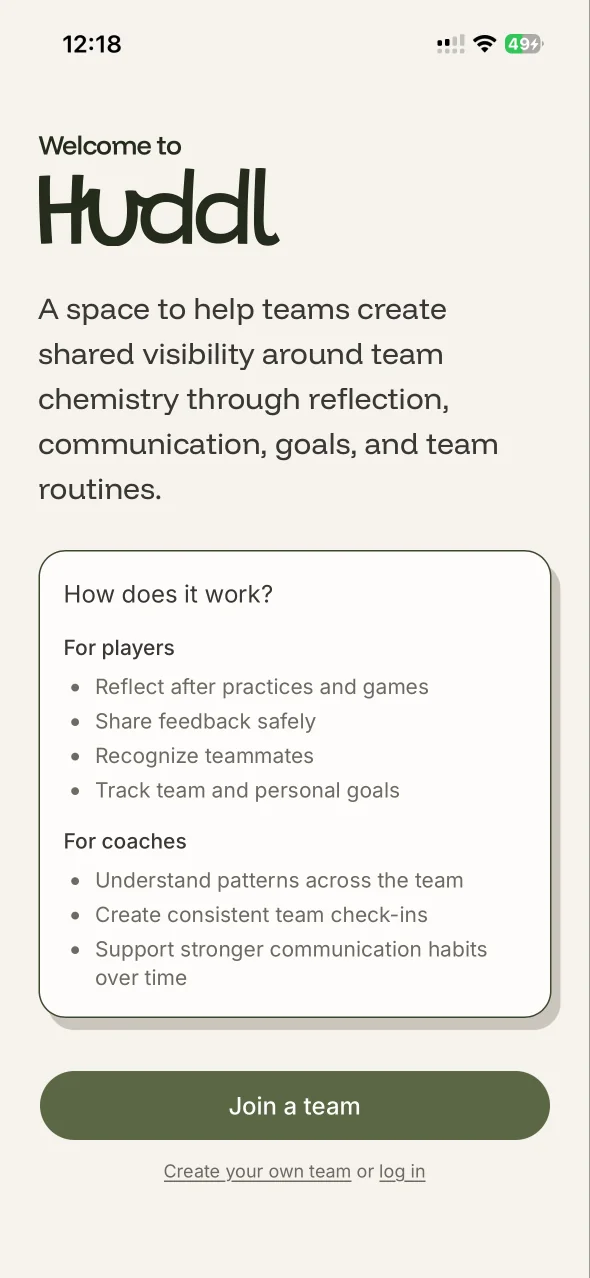
The biggest one was touch feedback.
Notifications. A website can't reach you once it's closed; an app can. Huddl registers a service worker, a small script the browser keeps running in the background, so a push can arrive and show a notification while the app is closed. Players hear about a new Huddl or Vibe Check, a Huddl that has closed (or a tag in one), and a teammate's new play. On an iPhone this only works once Huddl is on the home screen, one more reason the website's only job is to install it.
Under the hood, the server signs each notification with our own key (VAPID, the Web Push standard) and hands it to Apple's or Google's push service. Closing a Huddl is a scheduled job: it waits until the deadline, releases the answers, and then notifies the team.
 New HuddlYour coach has set up a retro. Tap to share your thoughts.New Vibe CheckYour coach wants to hear how you’re feeling. Tap to start.Results are inSee what your team shared in Huddl.

Outcome
Huddl is live at teamhuddl.com. At our capstone showcase, a team filled Plays with real clips and photos. Team Chemistry Design is now taking it to the women's soccer team at Saint Mary's College of California, and invited all four of us to stay on as advisors.