Design to code
How I helped Crypto Arsenal's designers and developers turn designs into code with AI.
@DESIGNER_MODE.mdStart Designer Mode
Loaded DESIGNER_MODE.md: 12 steps. What component do you want to create?
What’s your Figma link?
Where does it belong: atoms, molecules, organisms or templates?
Product direction
Handoff loses the details
On most product teams, designers work in Figma and frontend developers rebuild each design by hand. Small things get lost on the way: a spacing, a color, a state.
At Crypto Arsenal, I was asked to design a better handoff. The goal: designers produce production-quality frontend code for their own designs, then hand that code to developers.
The result: DESIGNER_MODE.md, instructions I wrote that take an AI from a designer's Figma link to a reviewed pull request. Designers rebuilt our design system with it, developers picked up the workflow from my talk, and design-to-code dropped from about an hour to about 20 minutes.
In early 2025, AI couldn't do this alone
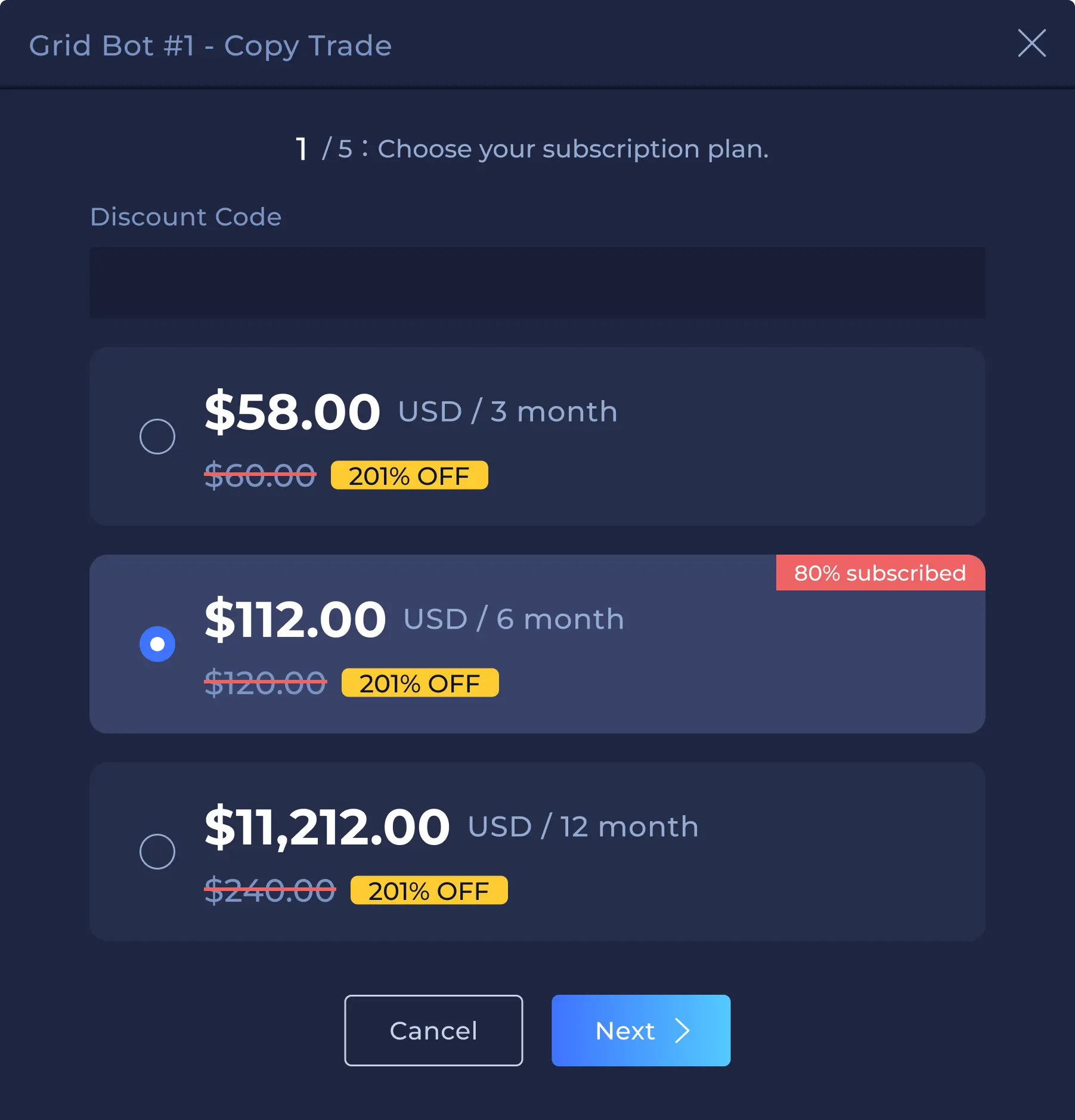
Today an AI can turn a Figma frame into decent code. In early 2025 it couldn't. A 2023 study found ChatGPT often wrote code that didn't run, with components it made up. When I tested an AI code editor on one pop-up, it took six tries, and each fix needed a person to say what was wrong.
So developers coached it like an intern
How did anyone get good results? I'd just studied that in a research course at the University of Washington: four classmates and I interviewed six early-career frontend developers about how they worked with AI. They coached it, with a few habits that worked.
“It's definitely an overpowered intern in that it can read 5000 pages of documentation.”Participant 2
- Outline component hierarchies
- Define props and state clearly
What component do you want to create?
looks good
Trial runs with our developers
The study was about developers in general, so I ran trials at Crypto Arsenal. I built components from our designs with an AI code editor, handed them to our developers, and asked what they needed. Their answer: the design alone, built on the design system, confirmed by the designer, with the logic left to them.
background: #2F80ED;
background: primary-4;
<button className=…>
const res = await fetch(…)
trackEvent("click")
So we narrowed it to the design system
We started out wanting designers to build whole flows, like that pop-up. But in 2025 the code wasn't good enough, and it gave developers more work, not less. So we reframed: designers would build the design system's components. Those need little logic, just variants and states, where a designer's precision matters most.
fetch("/api/plans")
useState(step)
Design and engineering
What's inside DESIGNER_MODE.md
DESIGNER_MODE.md is a markdown file of instructions in our design system repo. A designer tags it in their AI editor, and the AI follows it top to bottom: ask three questions, read the design from Figma, build only what's there with the system's tokens, then stop for the designer. Each part answers something the research or our developers asked for.
For reading the design, I chose Figma's MCP server, which had just come out. Next to screenshots it was slower and burned more tokens, but its values were exact, and exact is the point of a design system.
## How to Start Designer Mode
1. Tag this file and say: “Start Designer Mode, create task list”
2. Answer 3 questions: the component · its Figma MCP link · atoms, molecules, organisms or templates
## Complete 12-Step Workflow
5. Extract Design Specifications: AI analyzes your Figma design (ONLY what’s provided)
6. Generate Component with AI/MCP (NO additional features)
### DESIGNER CHECKPOINT
PAUSE FOR DESIGNER REVIEW
To continue: Say “deploy”, “ready”, “looks good”
### Critical Rules for Token Usage
NEVER use refColors, refTypography, or refRadius directly
ALWAYS prefer sysColors, sysTypography, sysRadius
Getting designers started
The file alone wasn't enough: designers had never worked in a code repo. I set up each designer's environment and taught them the basics, once. After that, a designer tags DESIGNER_MODE.md, pastes a Figma link, and gets a pull request.
The designer decides at the start and in the middle; the AI does the rest, and a developer reviews at the end.
- 1Tags it, answers 3 questionsDesigner
- 2Sets up the branchAI
- 3Builds from FigmaAI
- 4Compares to FigmaAI
- 5Signs offDesigner
- 6Opens the pull requestAI
- 7Runs the checksCI
- 8Reviews, adds logicDeveloper
Storybook became the source of truth
Crypto Arsenal already used Storybook, so DESIGNER_MODE.md is built around it. Storybook shows each component in real code, with every variant. The AI opens it for the designer, so no terminal, and developers see the same page. The pull request still lives on GitHub, but the designer signs off in Storybook.
Checks on every pull request
I built the automated checks (CI) myself. Every designer's pull request is checked for naming, stories, types and Figma links. Instead of just failing, it fixes what it can and explains the rest, and a developer still reviews before merge.
Outcome
Designers and developers both adopted it
When we realigned our design system in Figma and in code, designers used DESIGNER_MODE.md to rebuild its components themselves, one pull request each, and kept using it after I left.
Developers gained the most, though, because it taught them to code with AI. My company talk on turning designs into code with an AI editor reached about 20 people, mostly developers.
As the project's PM, those were my two success metrics: would people use it, and how fast does design become code? The AI improved over those months too, so it isn't the whole difference, but splitting the designer's file from the developer's made each run cover far more.
The AI got better. The system still matters
Design-to-code mostly works now. What the research found still holds: the AI needs context, it should ask before it acts, and a person makes the final call. DESIGNER_MODE.md builds all three in, so no one has to remember them.
Earlier write-ups: the six-try test and the guide.
✅ Designer PR Checklist
Hi! 👋 I've reviewed your design system contribution. Here's what I found:
Component naming conventions
Storybook stories
Figma links in stories
TypeScript prop types
Atomic design structure
Common mistakes check