Mahway
A food and body tracker. Private, free, no strings attached.
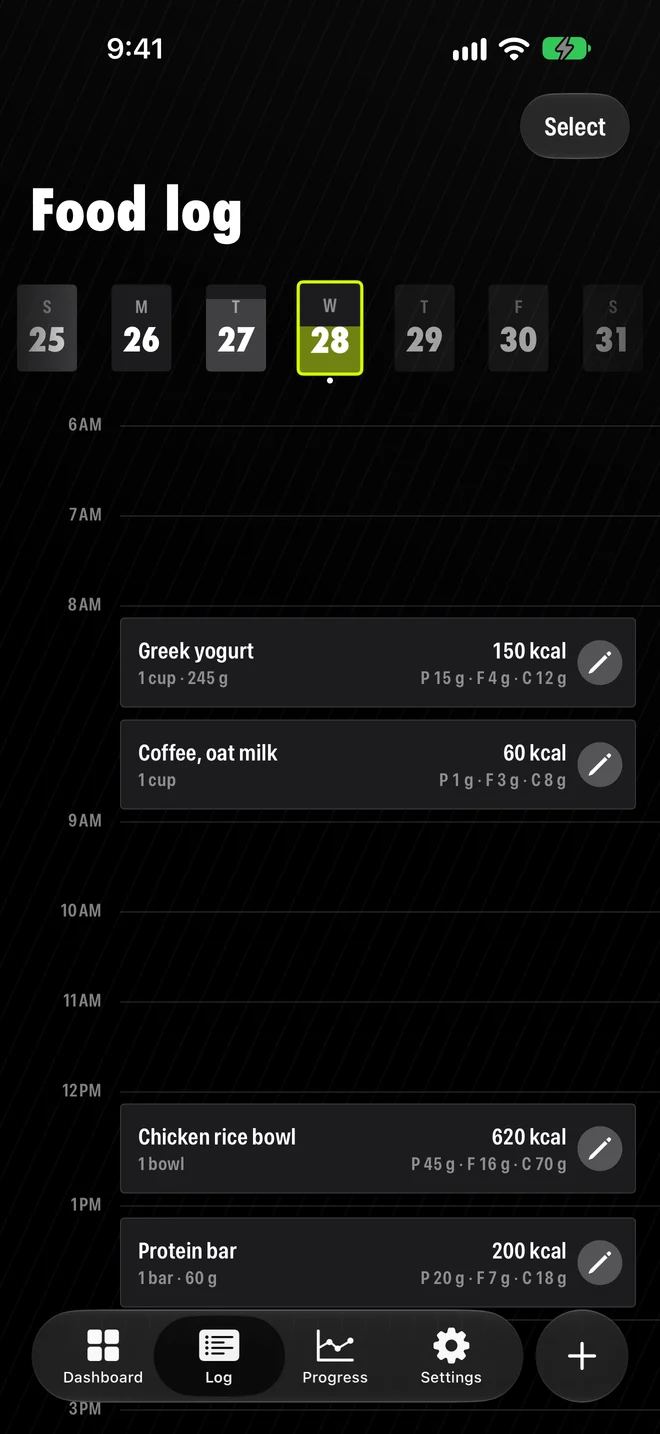
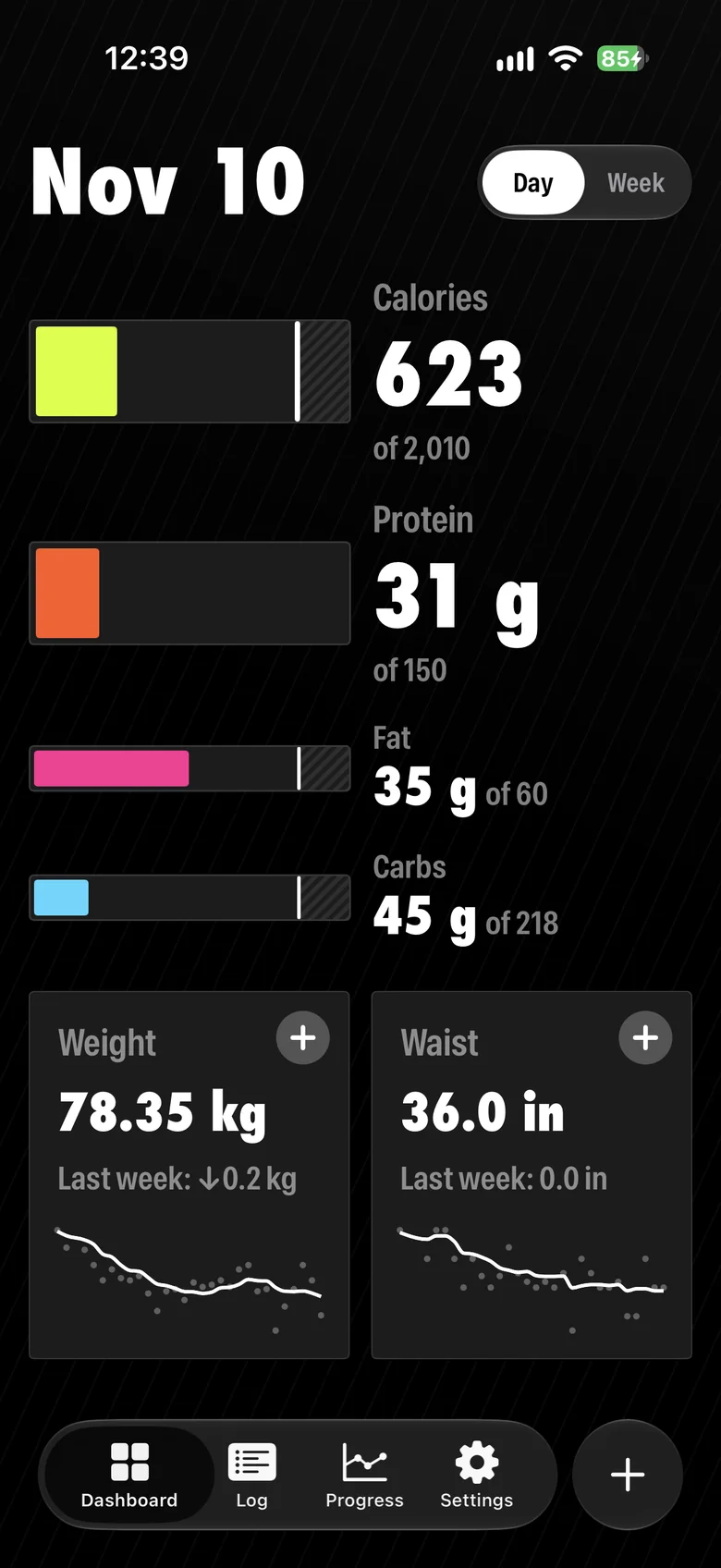
The dashboard: what's been eaten today.
Product direction
Why I built it, and why it's free
I wanted to get leaner, so I tracked what I ate. Every app wanted a subscription, and some charged to export my own data. When my free trial ran out, I built my own.
I could charge for it. But with AI, one person can build an app like this in weeks (hi). With nothing to protect, a paywall would only keep people out, so Mahway is free. Does an app from an independent developer still have a place, even free? That's what Mahway is testing.
How AI estimates stay free
One of the most wanted features in food trackers is the AI estimate: take a photo of a meal, get the numbers. Each one is a paid call to a cloud AI, and I couldn't pay for that and keep Mahway free.
People already have a favorite AI, so Mahway fits into how they already use it. “Ask my AI” opens ChatGPT, Claude or Gemini with the prompt written for them. The AI's answer ends in a link that opens Mahway with the food or recipe filled in.
Who it's for: I started with myself
I built Mahway for people like me: already tracking, and done paying a subscription for it.
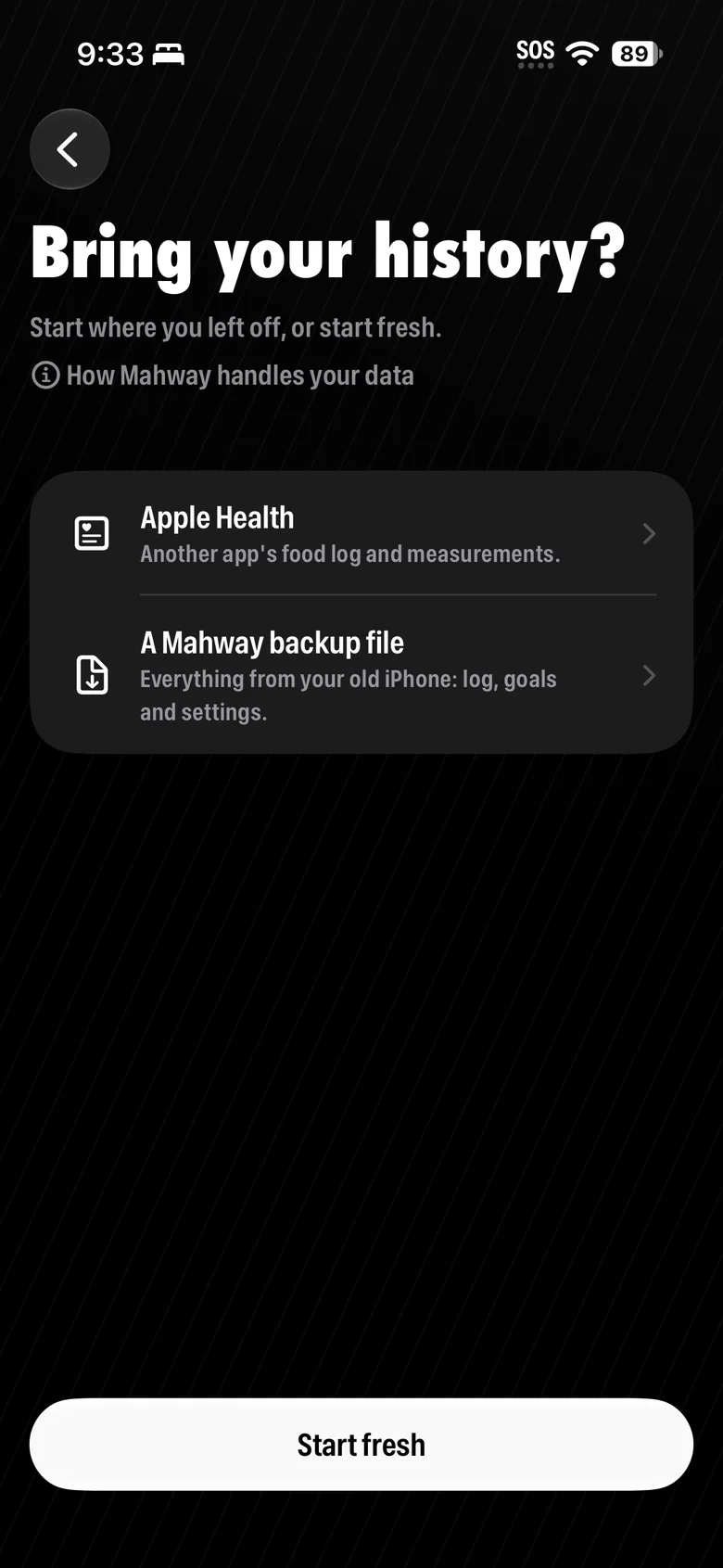
Then I ran eleven usability sessions, with a new build after each. Most testers weren't my target, but the app could still help them. So every round I chose: I took what opened Mahway to more people, and left what would turn it into a different app. Participants are numbered in the order I met them.
- BuiltP8
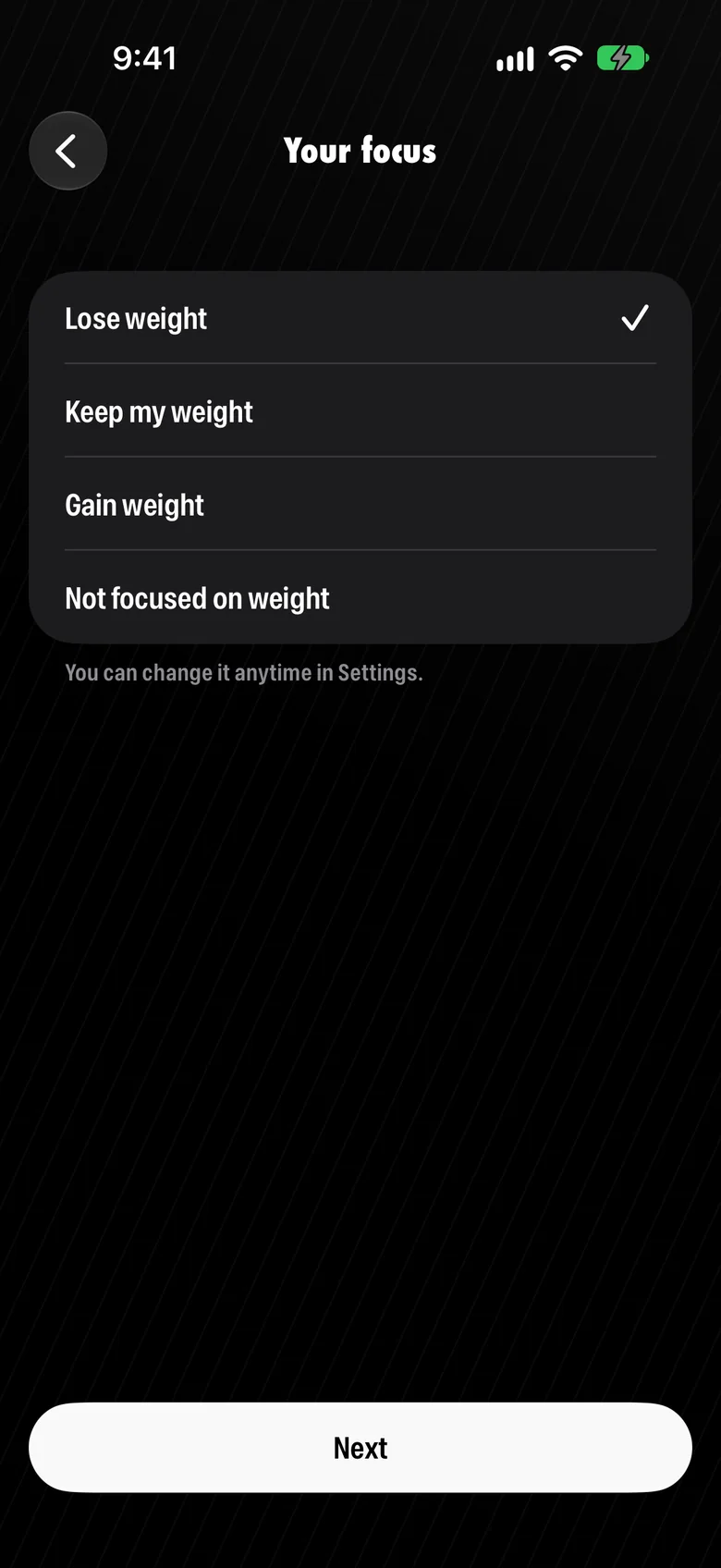
“I felt like I'm forced to choose keep my weight, bc I don't wanna lose or gain weight.”
Setup now has an option with no weight goal.
- BuiltP5
“Use timeline to set the goal, rather than just weekly or monthly amount.”
A goal can now be set as a date.
- BuiltP2
“How does no account work? Feels sketchy.”
Setup now ends by saying where the data lives.
- Not builtP10
An Add nutrient button always on the dashboard.
People choose what they track once, not every day.
- Not builtP11
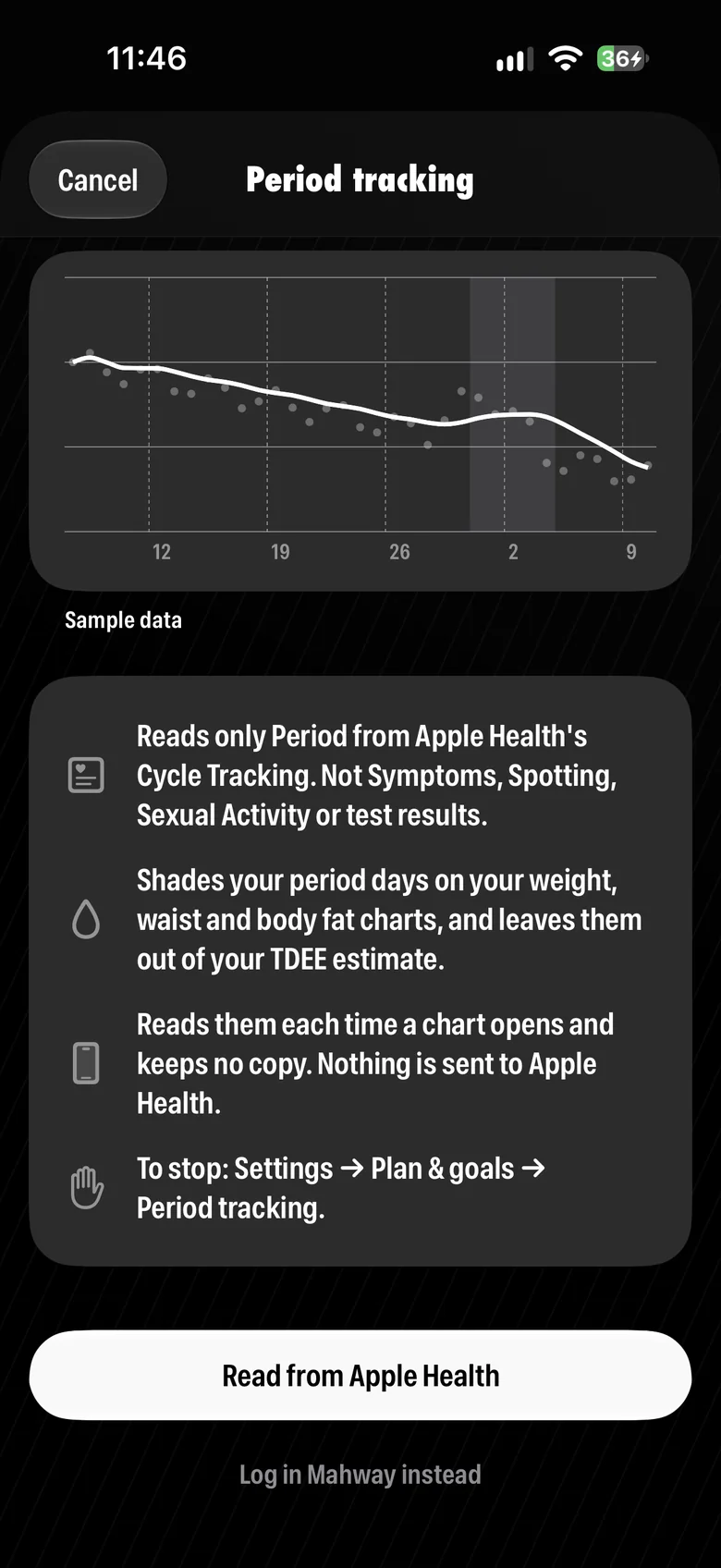
A period card, next to waist and body fat.
Mahway uses periods only to explain weight changes. Apple Health already tracks the cycle.
Trust and safety
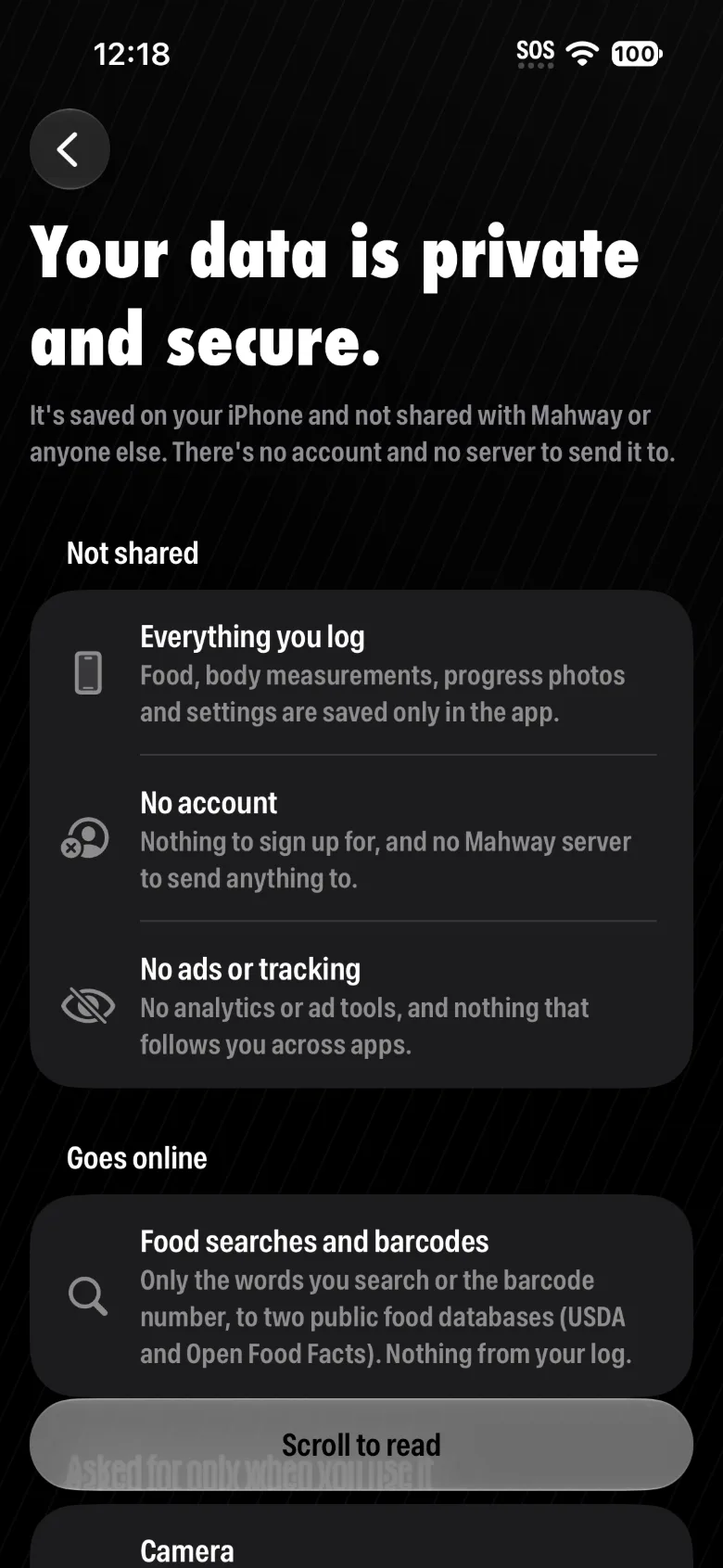
Privacy: earning trust with sensitive data
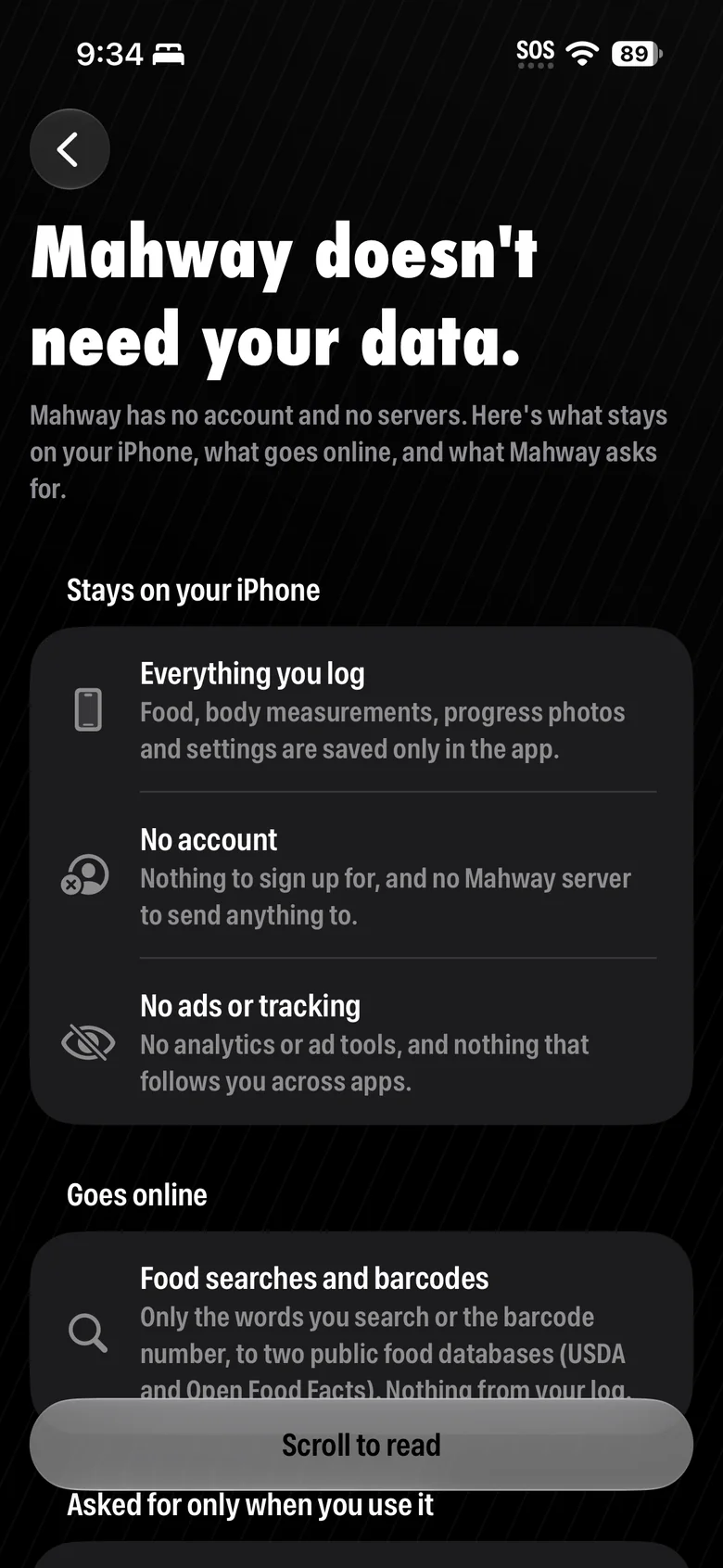
Weight, waist, periods. Asking for those is hard, and a new app hasn't earned anyone's trust yet. So setup doesn't ask for trust; it's designed to earn it, one choice at a time. Trust is consent people keep giving, so nothing in Mahway forces it.
Setup asks only what it needs to estimate daily calories, and questions can be skipped. Everything stays on the phone. “No account” first read as sketchy, so setup now ends on a page that says plainly where the data lives.
Safety: a suggested number is a responsibility
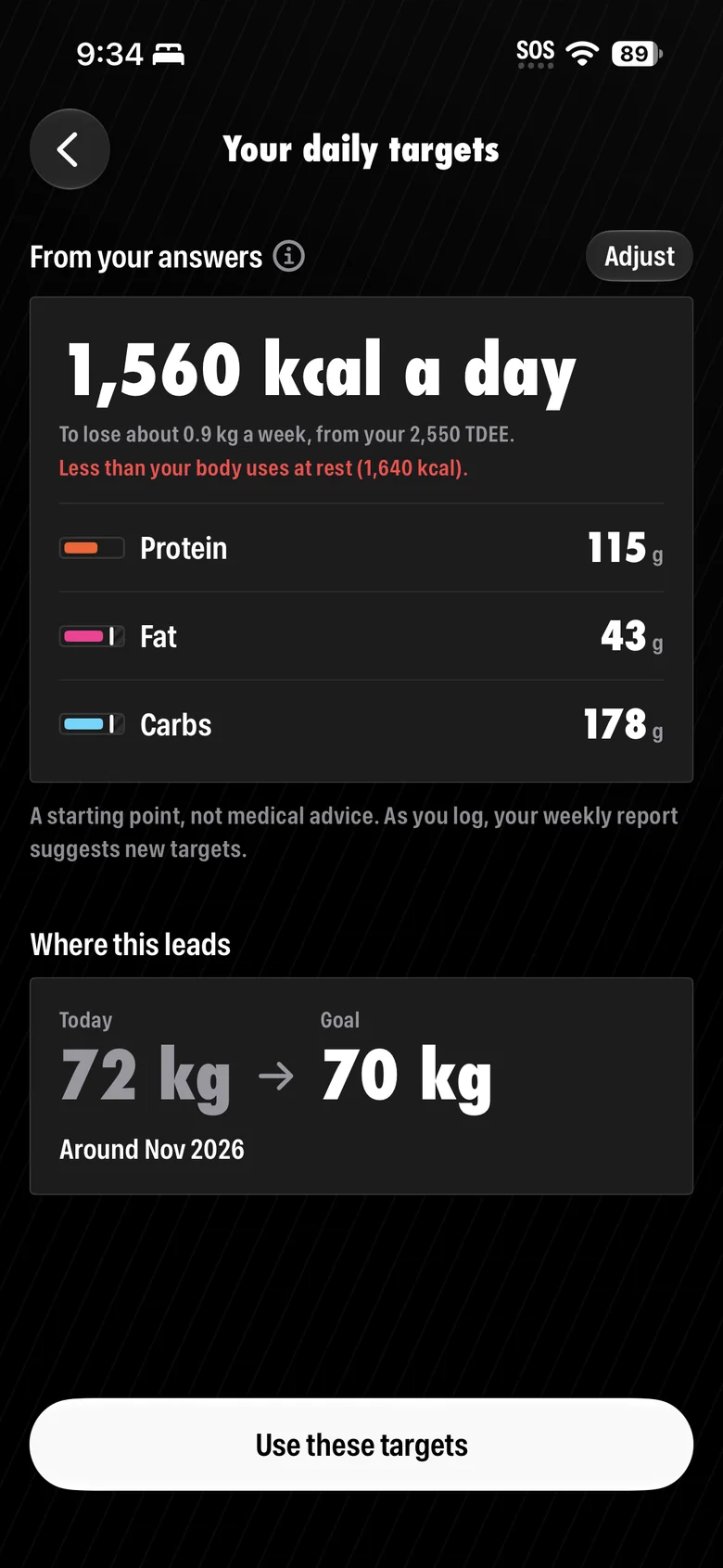
Mahway suggests how much to eat. When the subject is someone's body, that's a responsibility. So when someone:
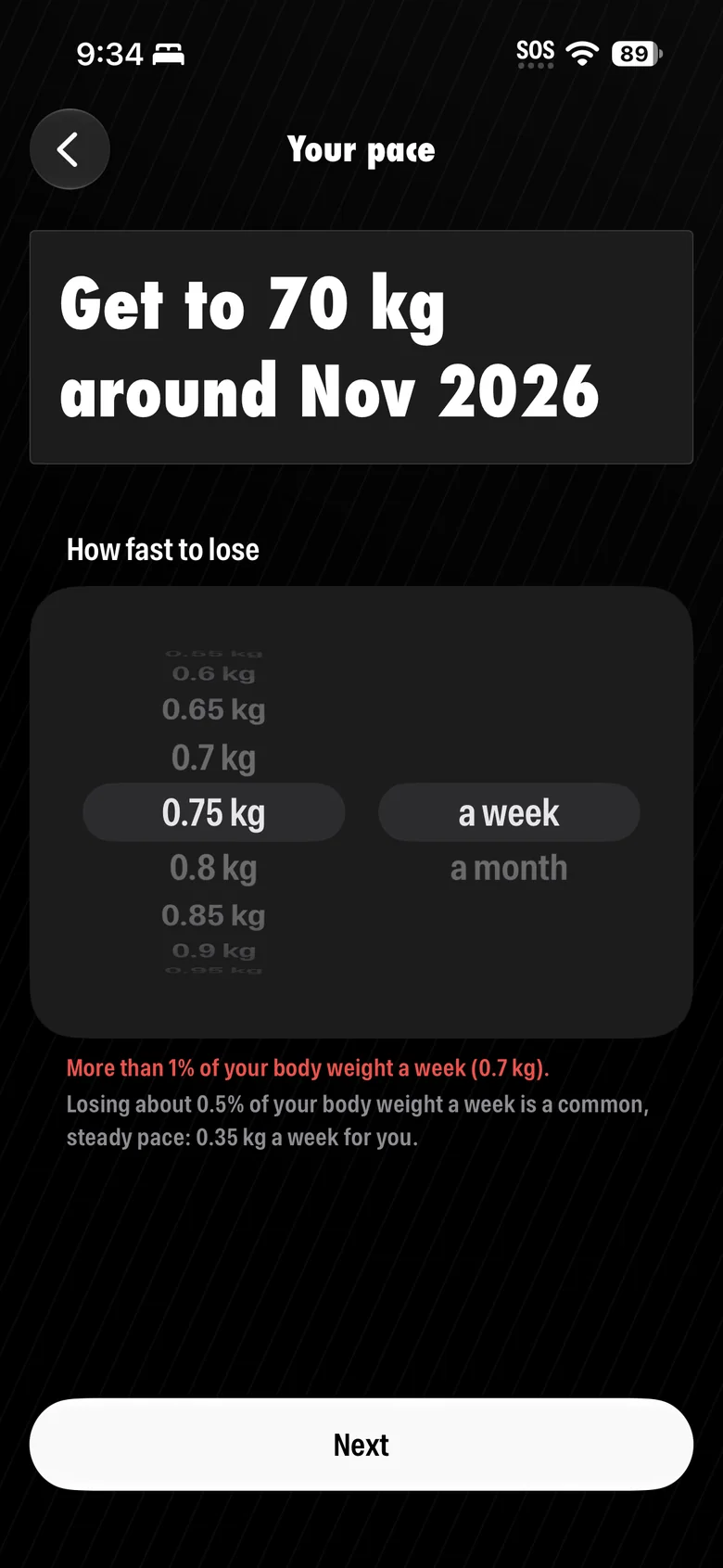
Picks a pace or target that’s too aggressive
Mahway says so in red, and shows a steadier one.
Is pregnant or breastfeeding
No cut is suggested.
Doesn’t trust the app enough yet to share their sex
“Use an average” is an option. Sex is only used for the estimate.
Is struggling with eating or body image
Support is one tap away.
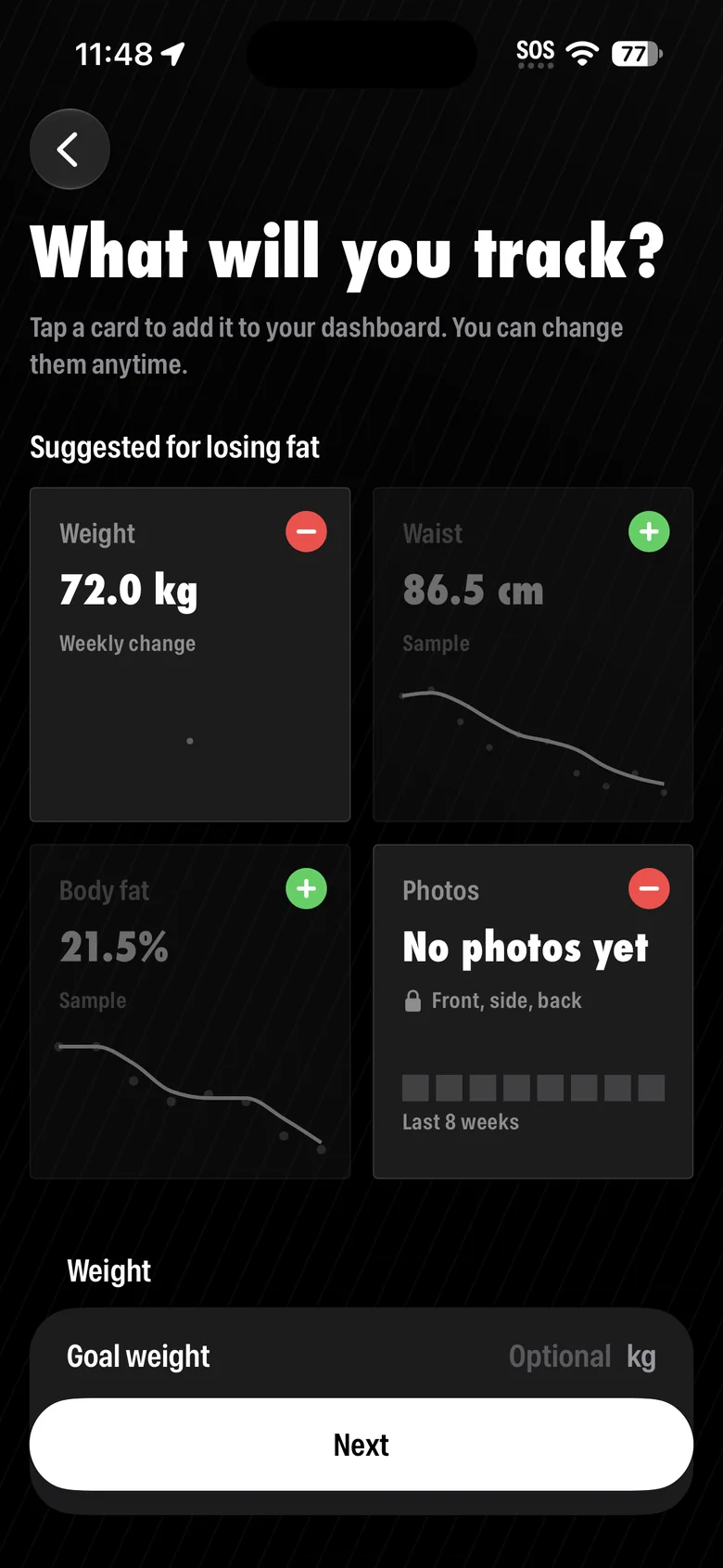
Finds the waist card brings up body image
Setup asks what to show on the dashboard, instead of showing waist by default.
What I got most wrong: onboarding
I thought an easy app only needed a quick tutorial. But people don't read tips; they tap, search and move on.
After the usability sessions I see it differently: onboarding is the first promise a product makes. It decides whether people trust it, and whether they see themselves in it.
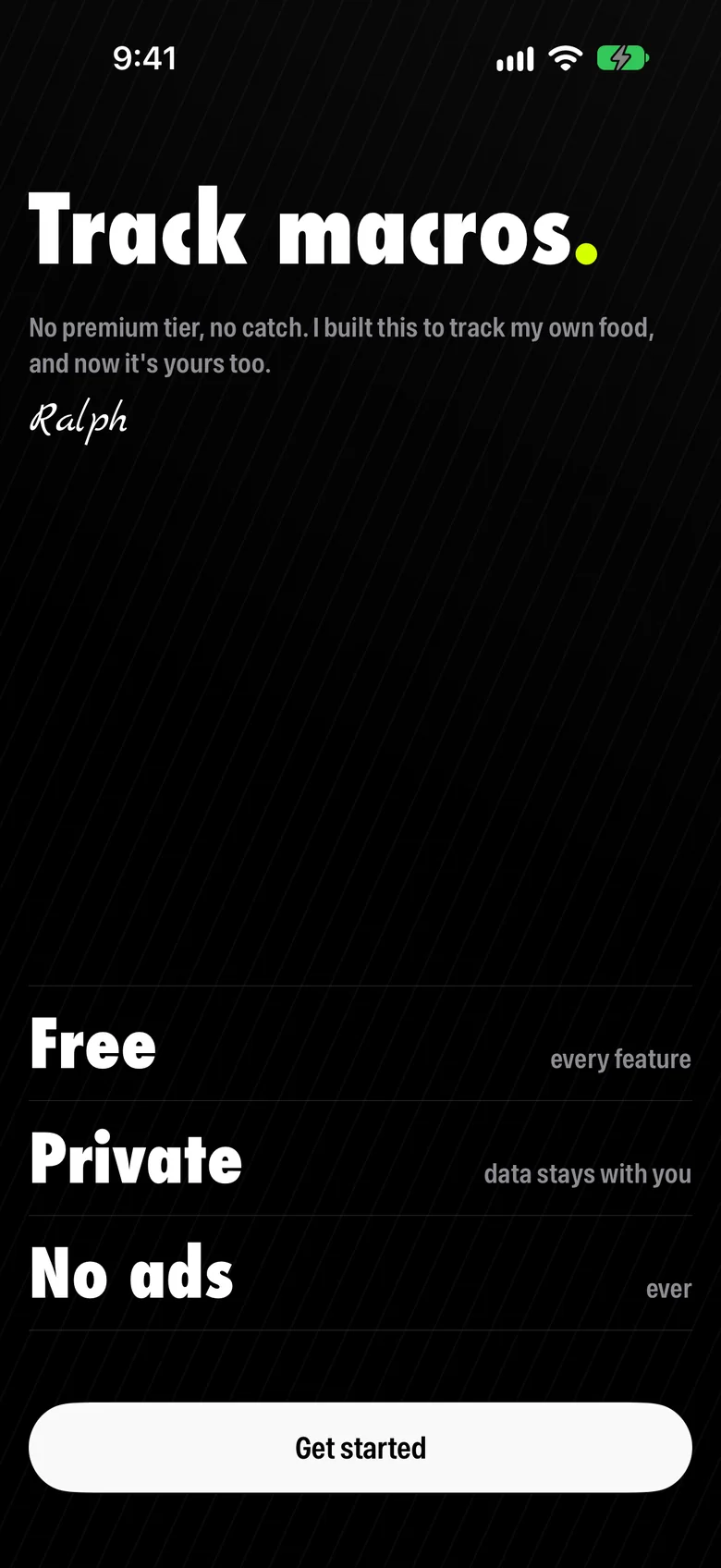
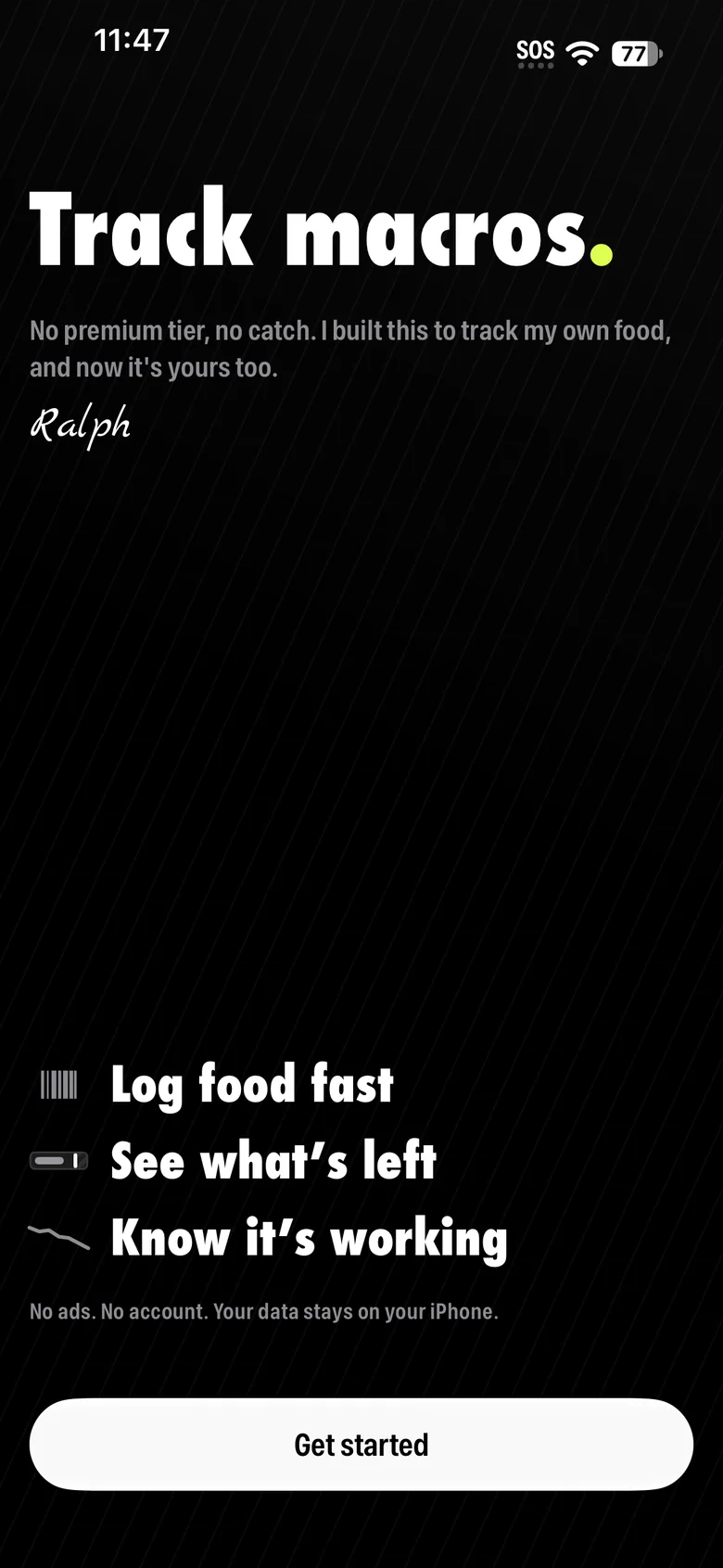
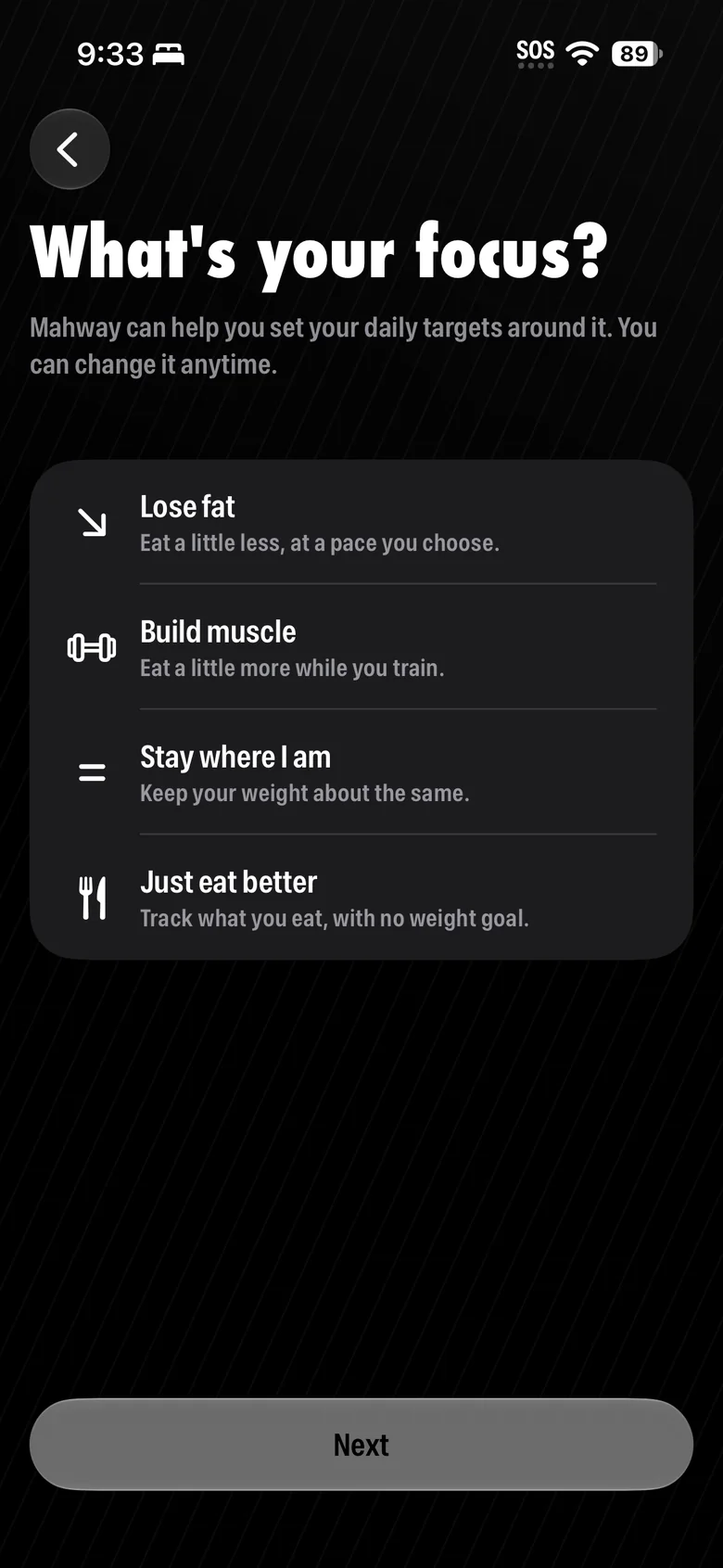
My first welcome screen led with free, private and no ads. But nobody knew yet what the app was for, so none of it meant anything. Now it opens with what Mahway does.
The goal screen only talked about weight. Now it asks what someone wants: lose fat, build muscle, stay where they are, or just eat better.
Design and engineering
Search: sorted by how people eat
Most trackers answer “chicken breast” with hundreds of packaged products. Mahway puts the plain food first.
Other apps0 results in one list
- CHICKEN BREAST
- CHICKEN BREAST
- CHICKEN BREAST
- CHICKEN BREAST
- CHICKEN BREAST
- CHICKEN BREAST
- CHICKEN BREAST
- CHICKEN BREAST
- CHICKEN BREAST
- CHICKEN BREAST
- Lunchmeat, chicken breast, sliced
- Chicken breast, rotisserie, skin not eaten
- Chicken breast tenders, breaded, uncooked
- Chicken breast, roll, oven-roasted
- Chicken breast, rotisserie, skin eaten
- Chicken breast, sauteed, skin eaten
- Chicken breast, sauteed, skin not eaten
- Chicken breast, stewed, skin eaten
- Chicken breast, stewed, skin not eaten
- Chicken, breast, boneless, skinless, raw
- Chicken, breast, meat and skin, raw
- Chicken breast tenders, breaded, cooked, microwaved
- Chicken breast, grilled with sauce, skin eaten
- Chicken breast, grilled with sauce, skin not eaten
Shipped4 rows in 4 sections
Whole foods
Dishes
Restaurants
Packaged
Logging: by the hour, not by meal
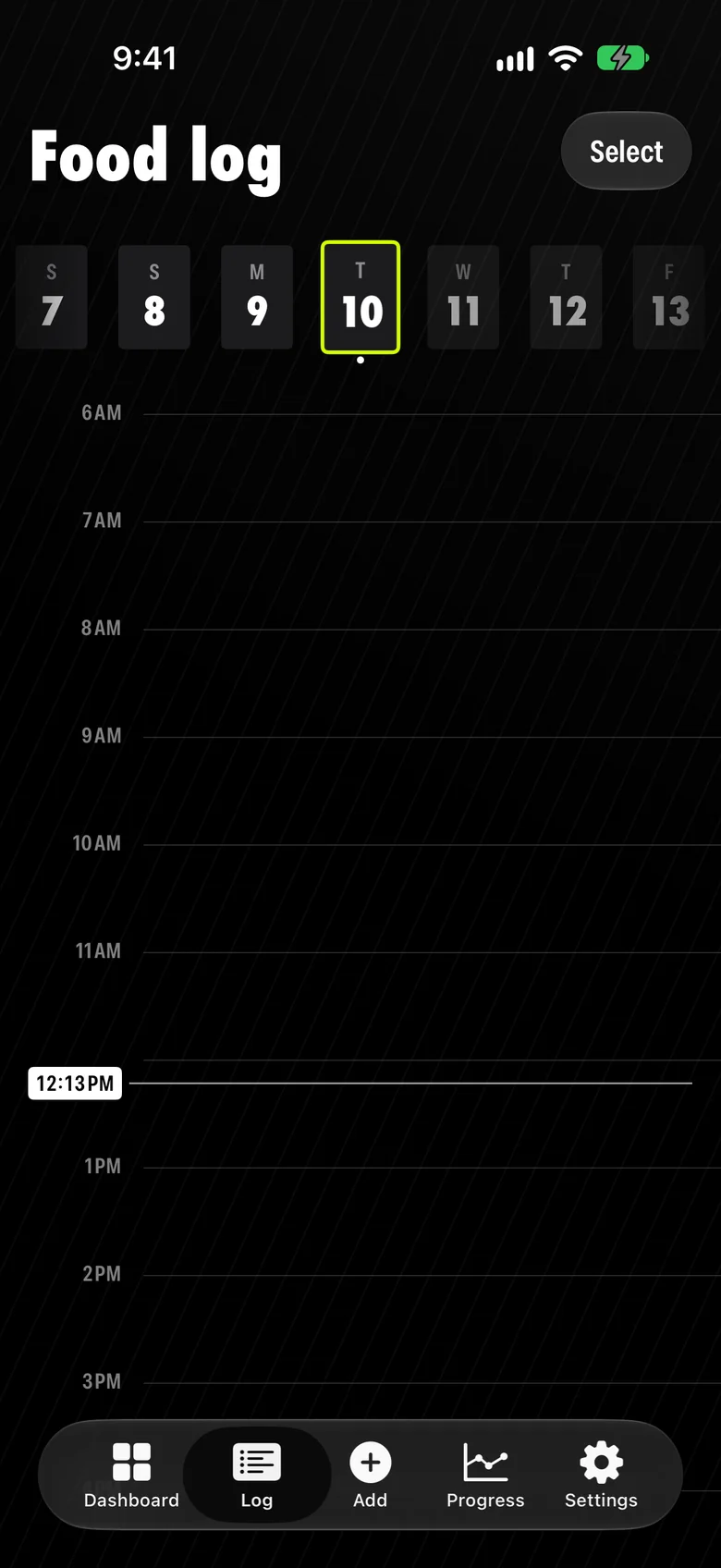
The day is laid out by the hour, not by meal. In testing, it was what people liked most.
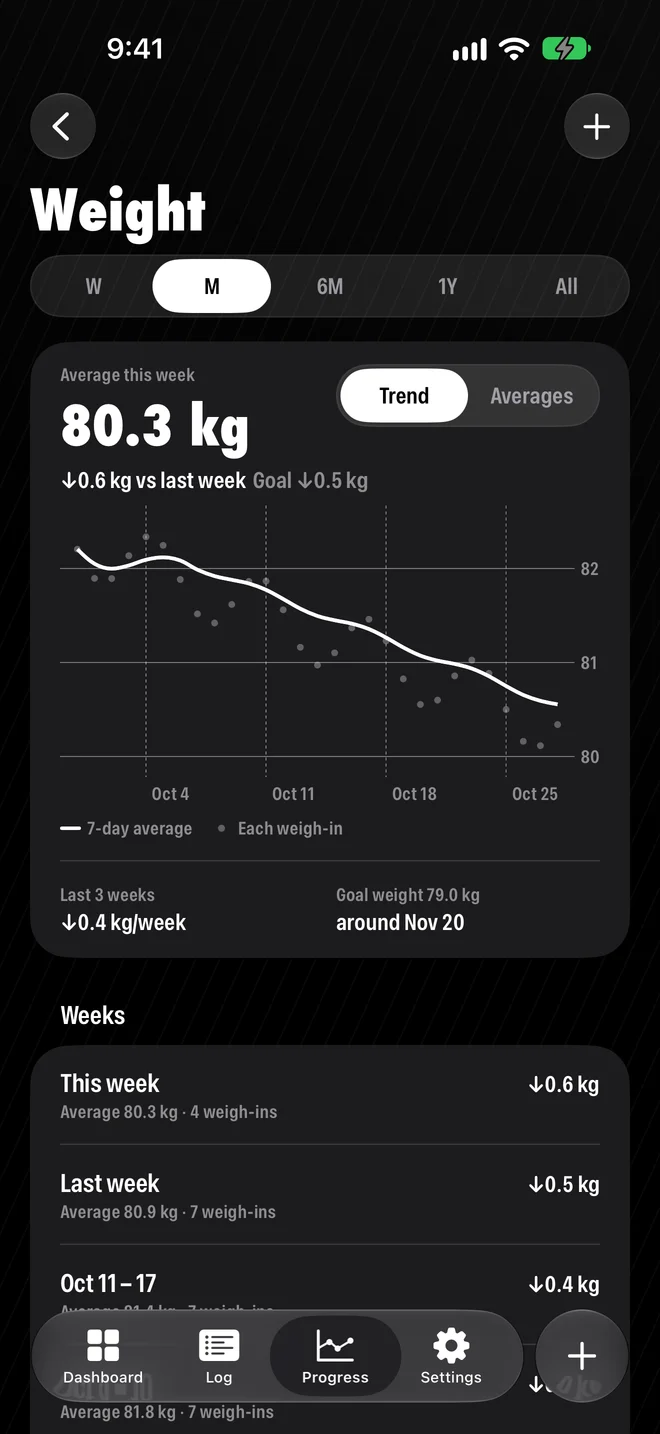
The weight chart: zoomed in, and steady
The chart has to zoom in on this week, and stay steady when swiping back. Three tries at the scale:
Version 1
Version 2
Shipped
Usability: small fixes, every round
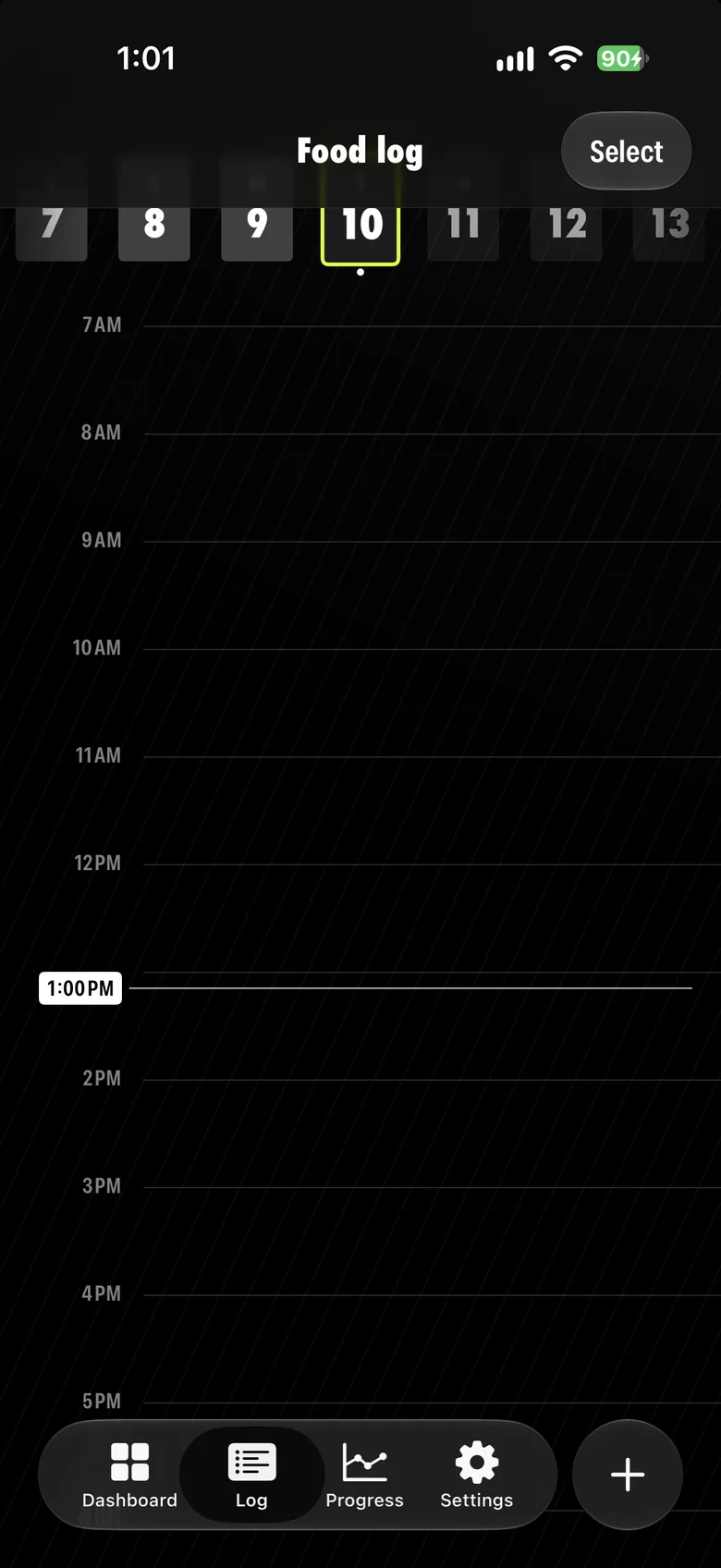
Each round of testing shipped small fixes. One came straight from watching someone hesitate:
Accessibility: text size, VoiceOver, motion
Mahway follows the phone's own accessibility settings. Three examples:
Larger text
Titles and numbers grow with the phone’s text size, up to 2×. At the largest sizes, dashboard numbers move under their bars to make room.
VoiceOver
Rearranging the dashboard is a drag, which VoiceOver can’t do. So every bar and card has Move up and Move down, and charts read out a summary.
Reduce Motion
Celebrations fade in place instead of bursting across the screen.
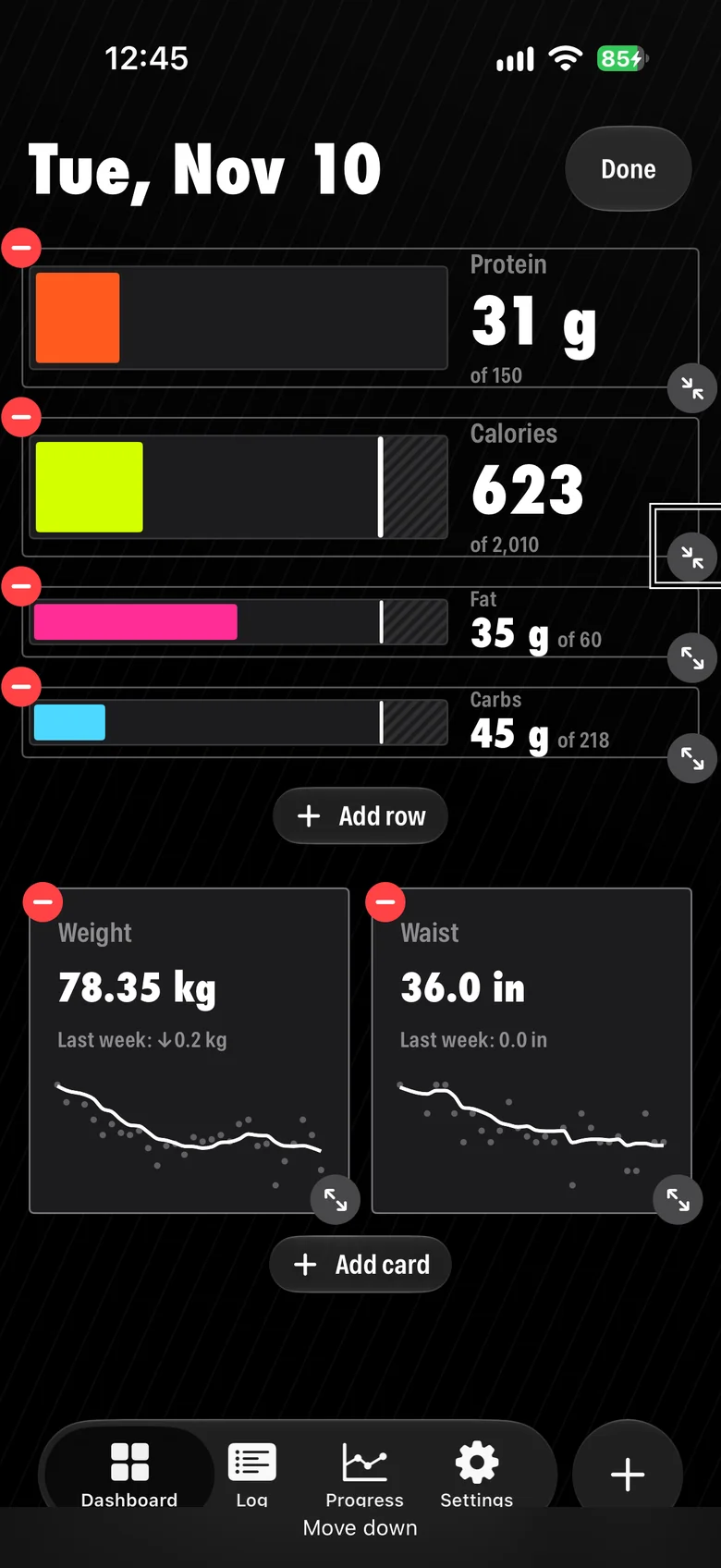
Visual design: loud, with strict rules
Black, condensed type, a neon color for each nutrient. Loud on purpose, so it needs rules:
- Color means one thing. Nutrient colors only mean nutrients; red only means a warning.
- Shape says what can be pressed. Content is square; actions are round.
- Readable in sunlight and at night. Text and bars meet contrast minimums.
Color
- Calories
- Protein
- Fat
- Carbs
- Warning
Type
1,030
Futura Condensed ExtraBold
Greek yogurt
SF Pro Condensed Semibold
Shape
ContentActionOutcome
Success: what I can and can't know
Mahway has no analytics, by the same decision as privacy, so I can't see what people do in the app. What I have is App Store Connect and the support inbox, where people tell me what broke in their own words.
What I do know is my own month. I've used it every day and gone from 80 to 79 kg, right on my plan of 0.3 kg a week. I feel more in control of what I eat, and freer: at restaurants with friends, or cooking a big batch and knowing it won't blow my limit.